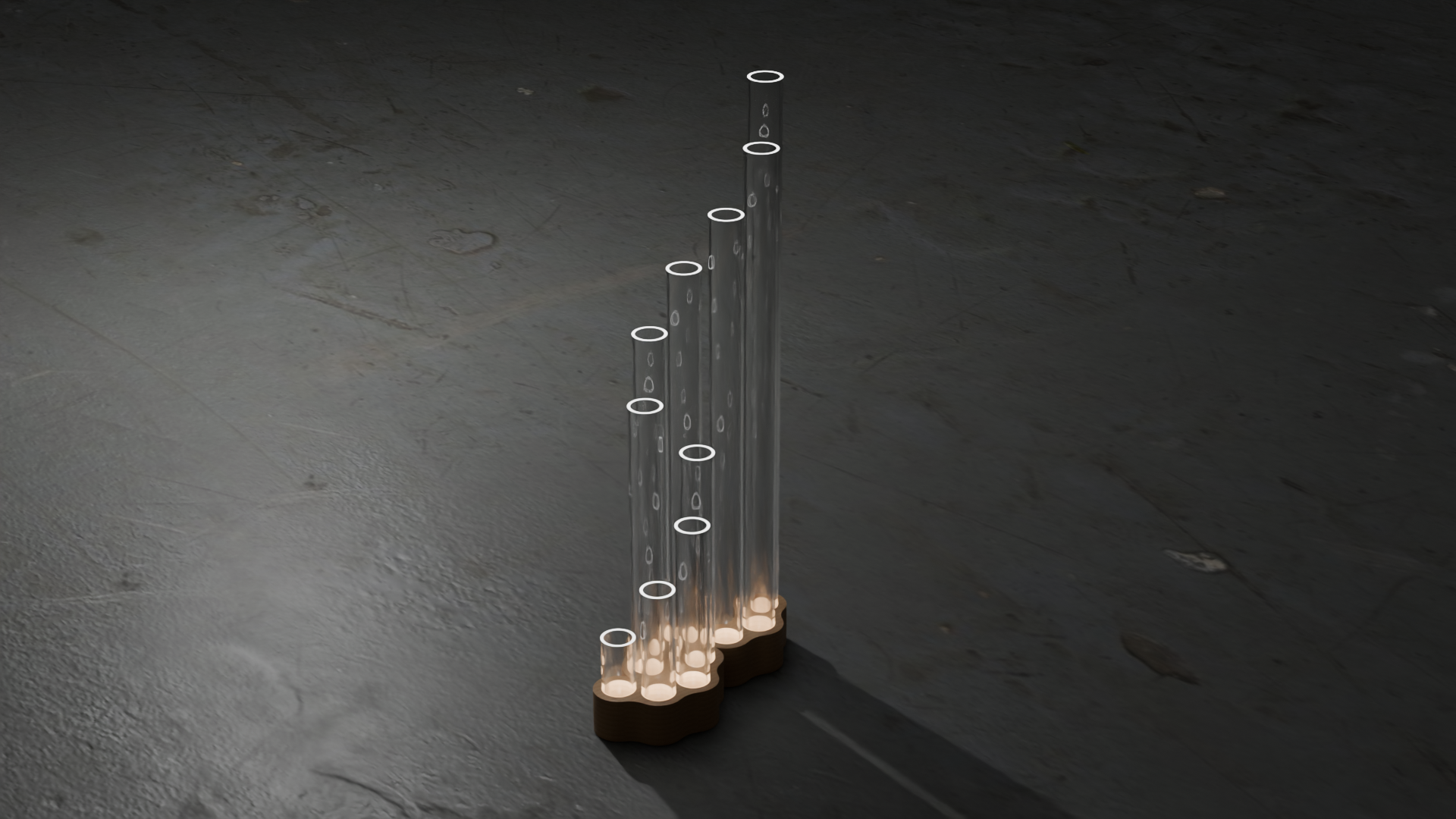
Locker-based Printer
Product Design
UI/UX
2026
University
3D Render: Ron Yak & Alexus Chan
UI/UX & Video art direction: Jing Wen
Videography & editing: Hidir Jani
Mentor: Prof. Song Kee Hong
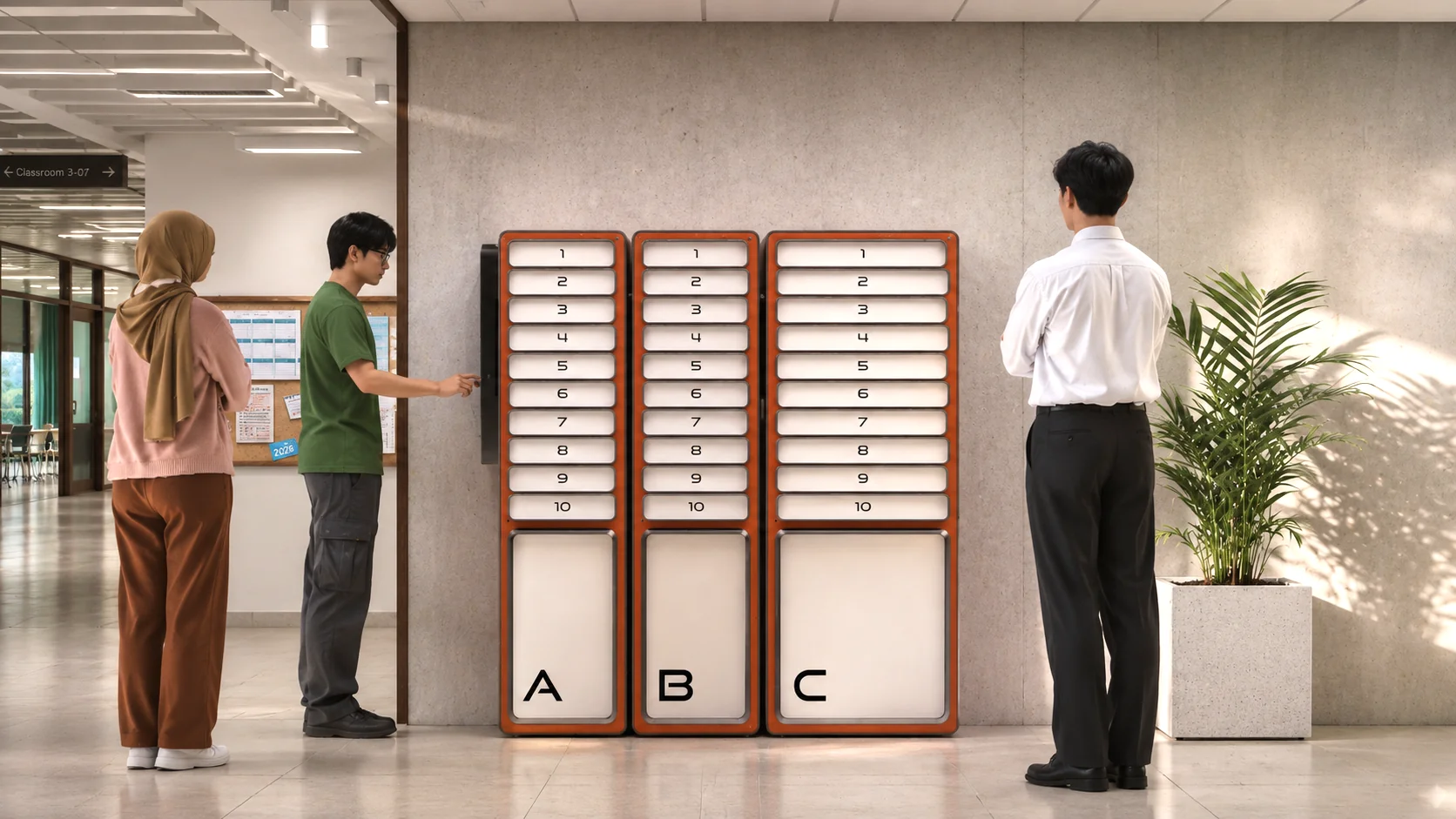
Ctrl P reimagines campus printing as one seamless journey. Users find the nearest free printer in the app, choose when to collect, and pick up from a private locker that opens with a personal code. Together, these changes cut wasted walking and waiting, keep confidential documents private, and make printing on campus feel as simple as picking up a parcel.
Problems
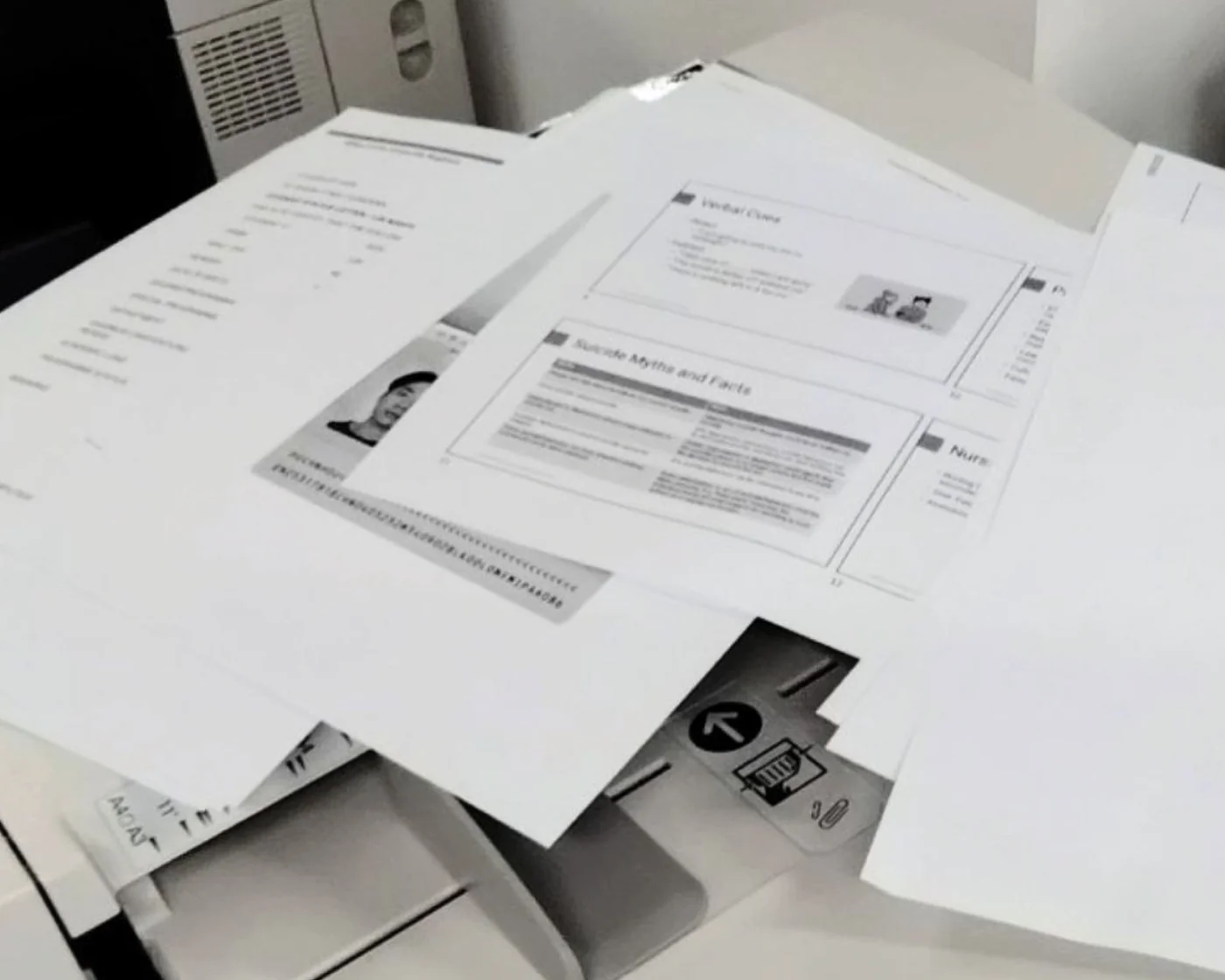
Unmanned services are becoming increasingly familiar, from parcel collection to self-service retail. Yet everyday printing remains an experience plagued by:
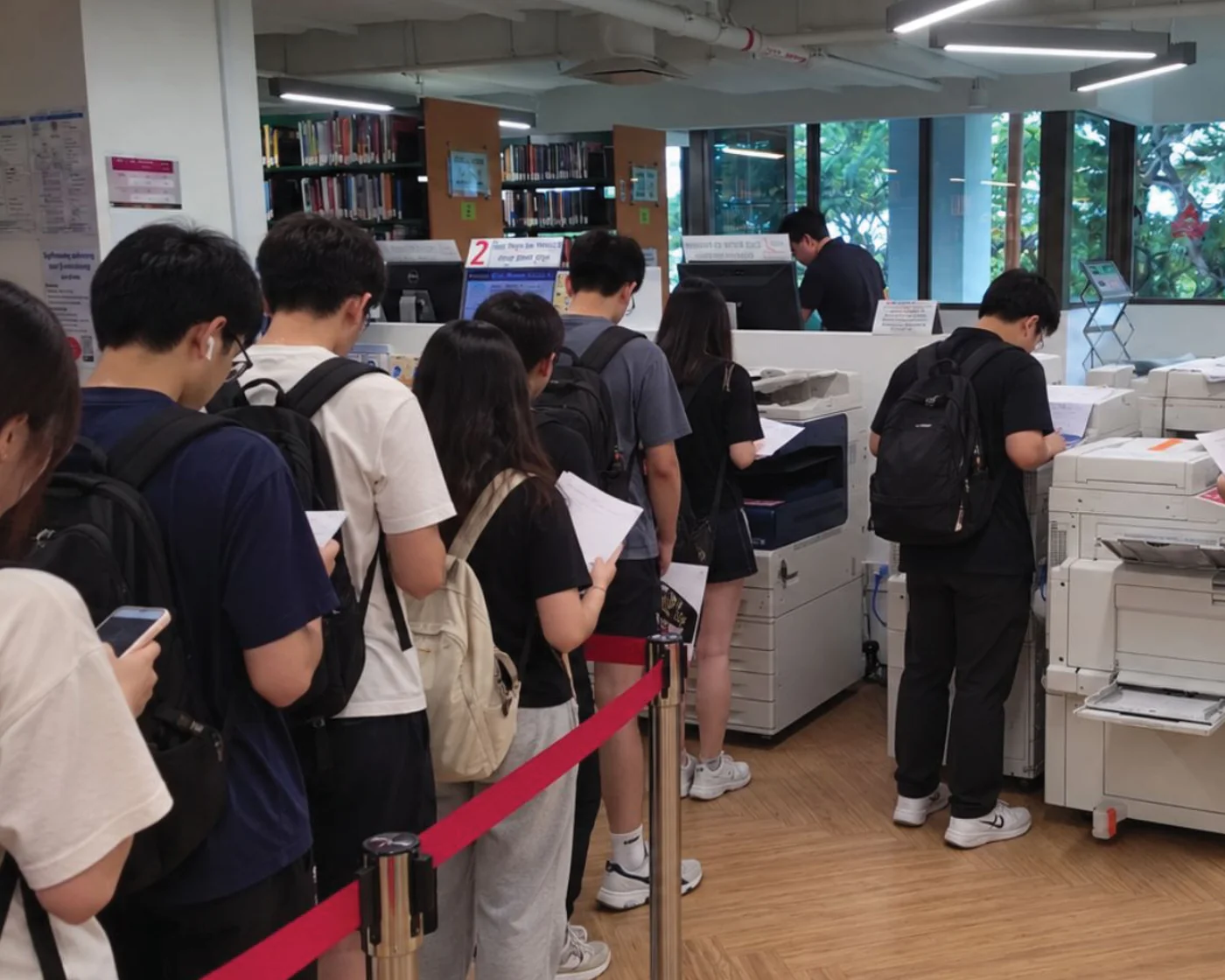
Unpredictable waiting times
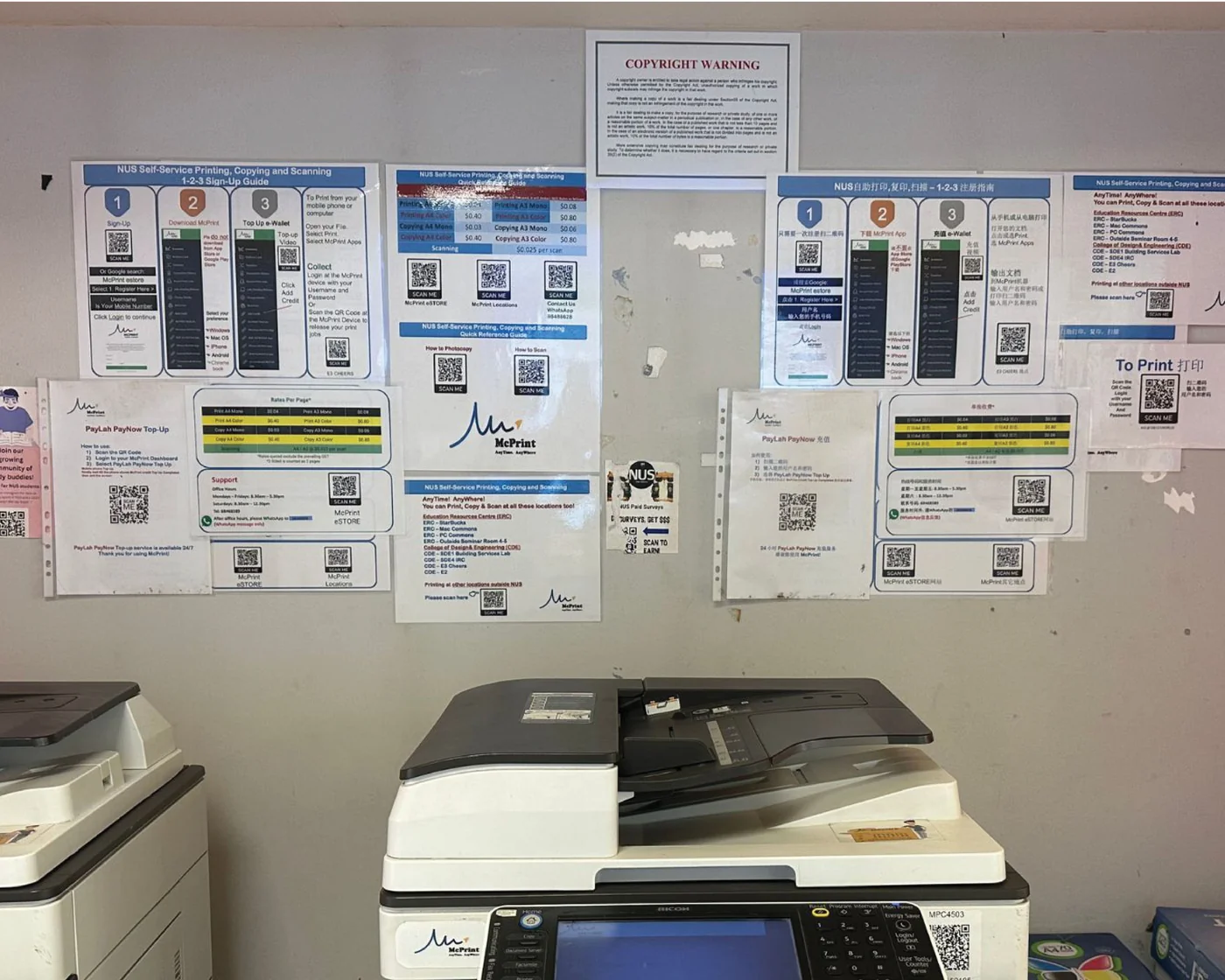
Confusing print instructions
Compromised document privacy
Solution
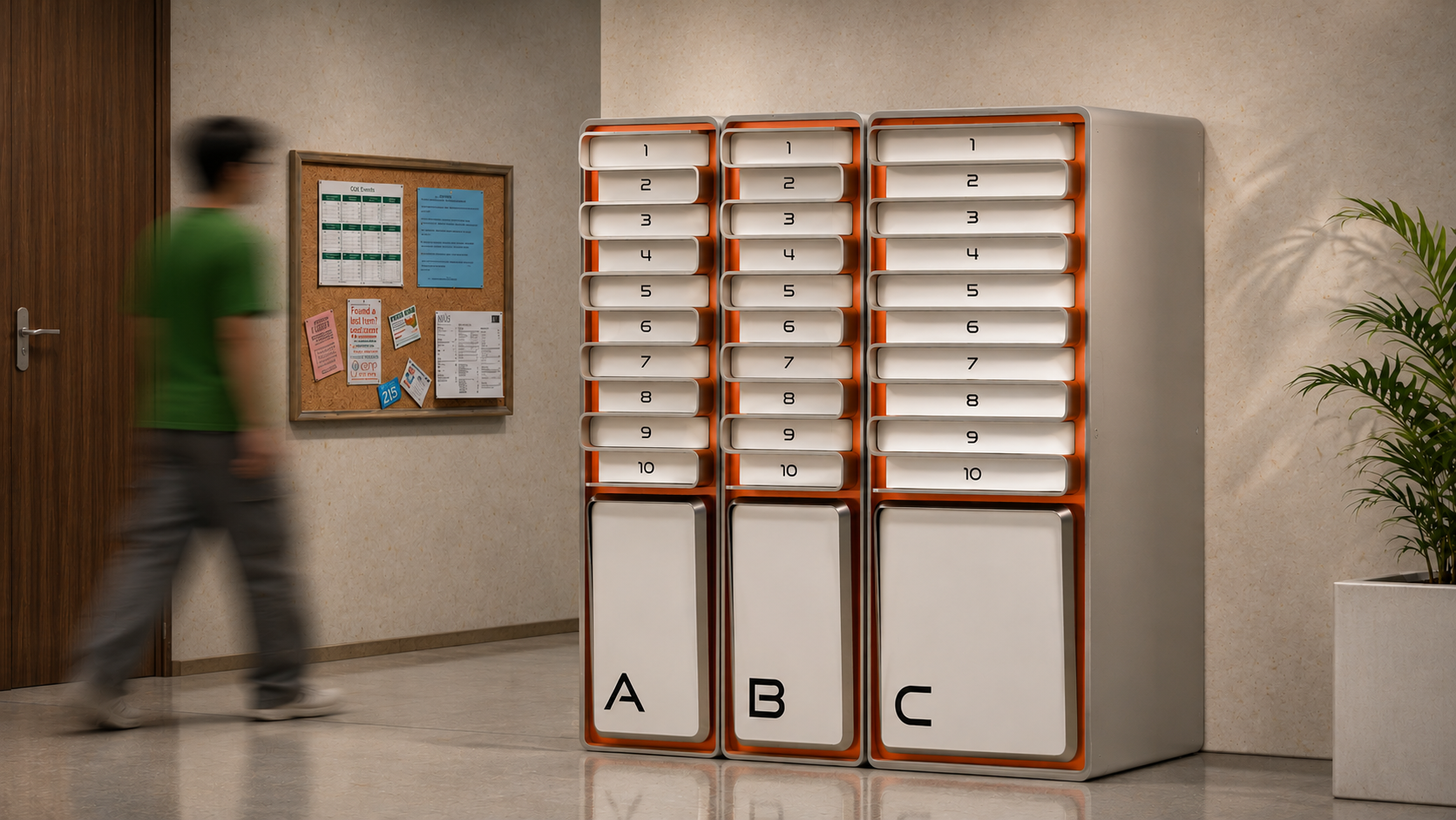
To address these problems, we designed a locker-based printing system where users send prints from anywhere and collect them anytime. Even better, this system can expand well beyond campus.
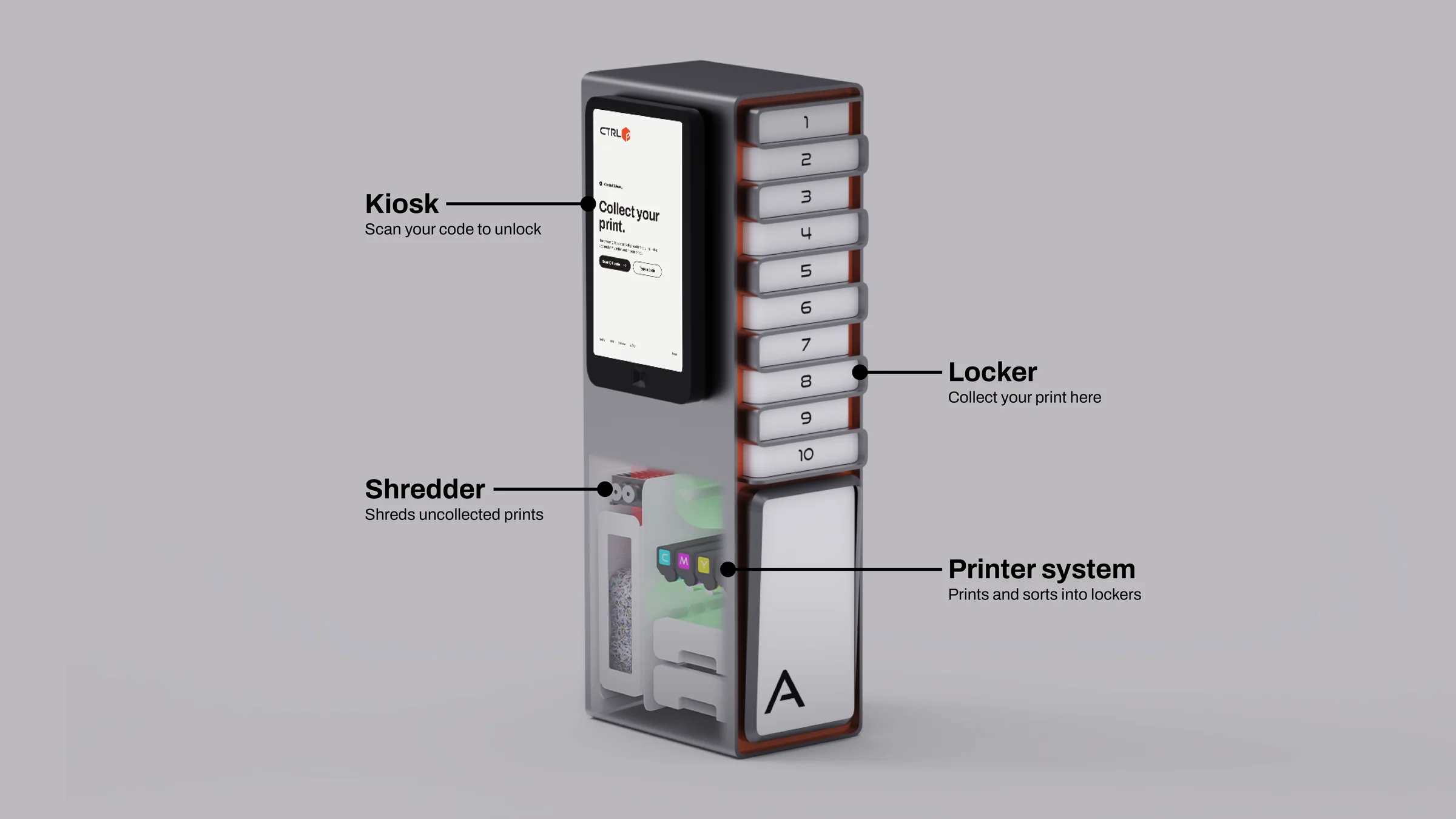
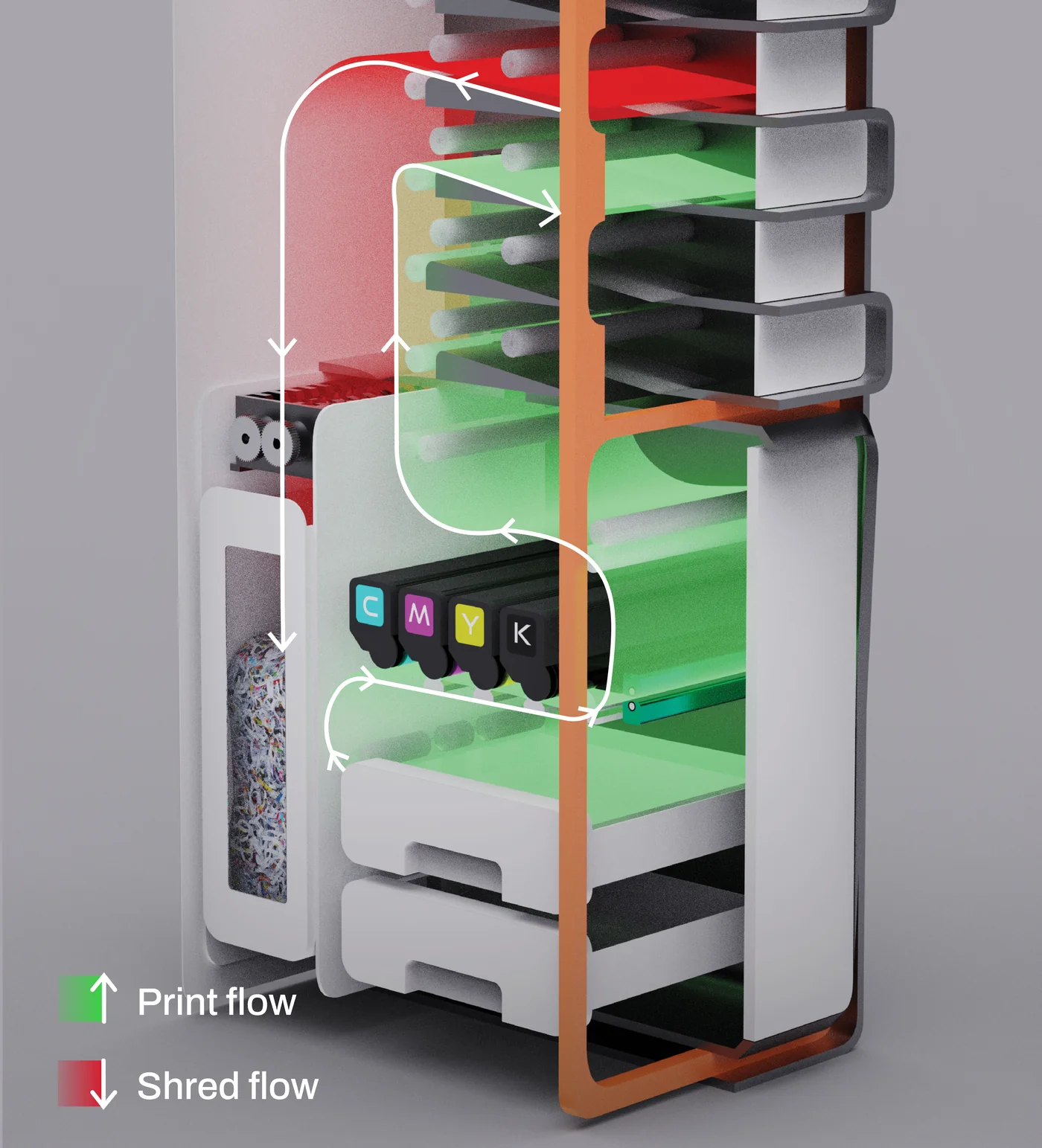
A paper transportation mechanism that directs printed documents into their assigned lockers.
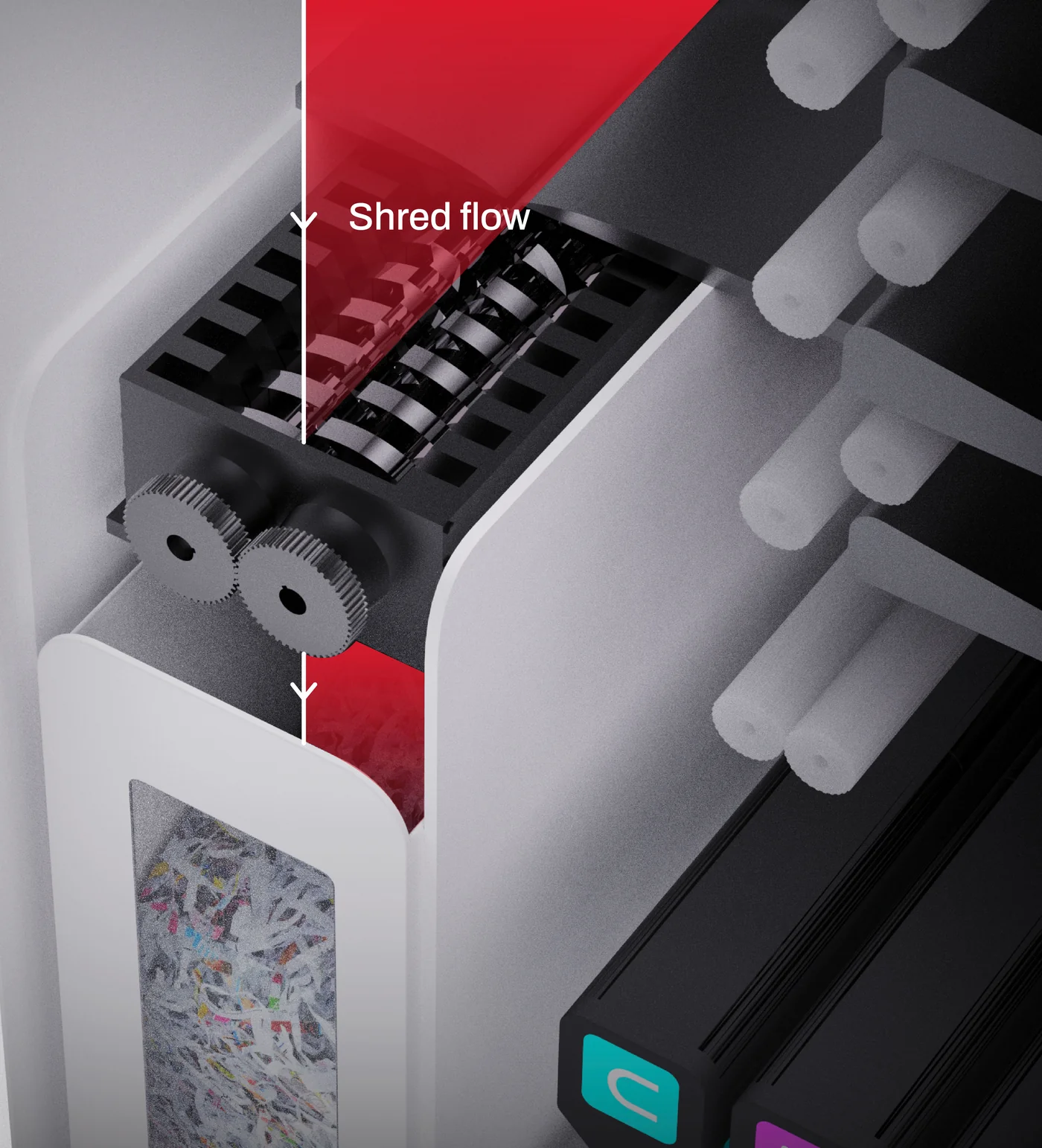
A built-in shredder that shreds uncollected prints beyond the 2-hour collection window.
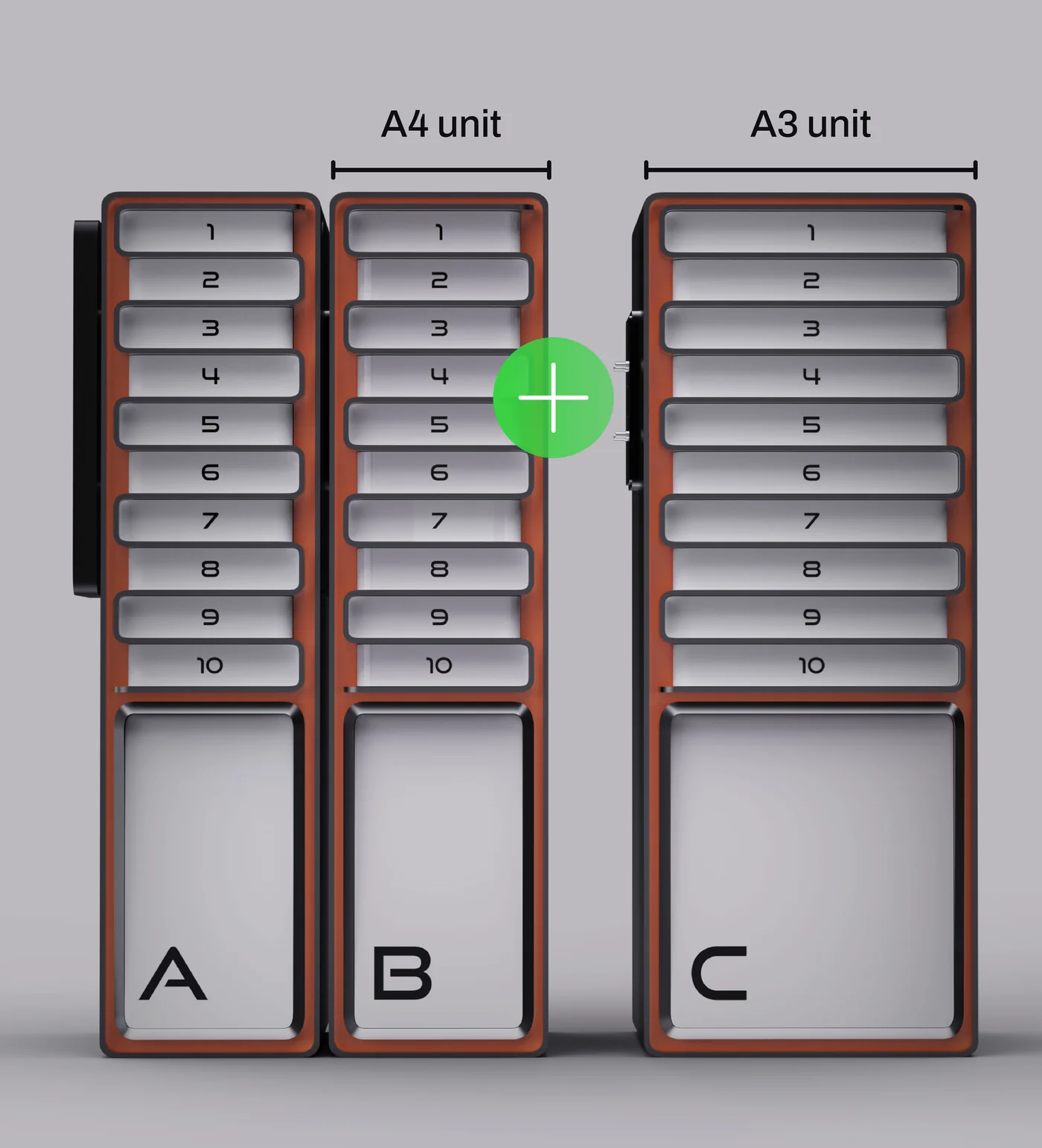
Additional locker modules can be installed as demand grows, with A3-compatible units available.
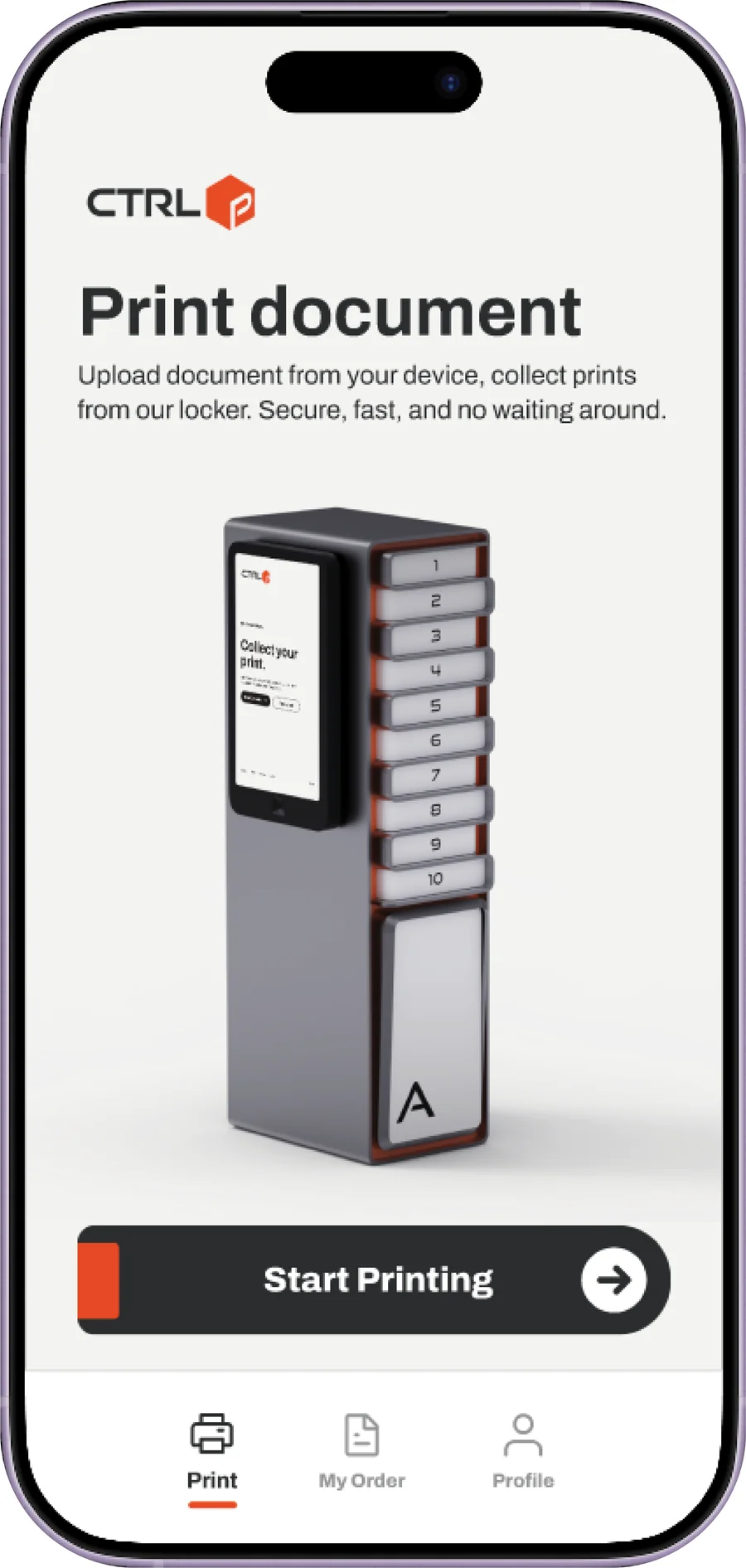
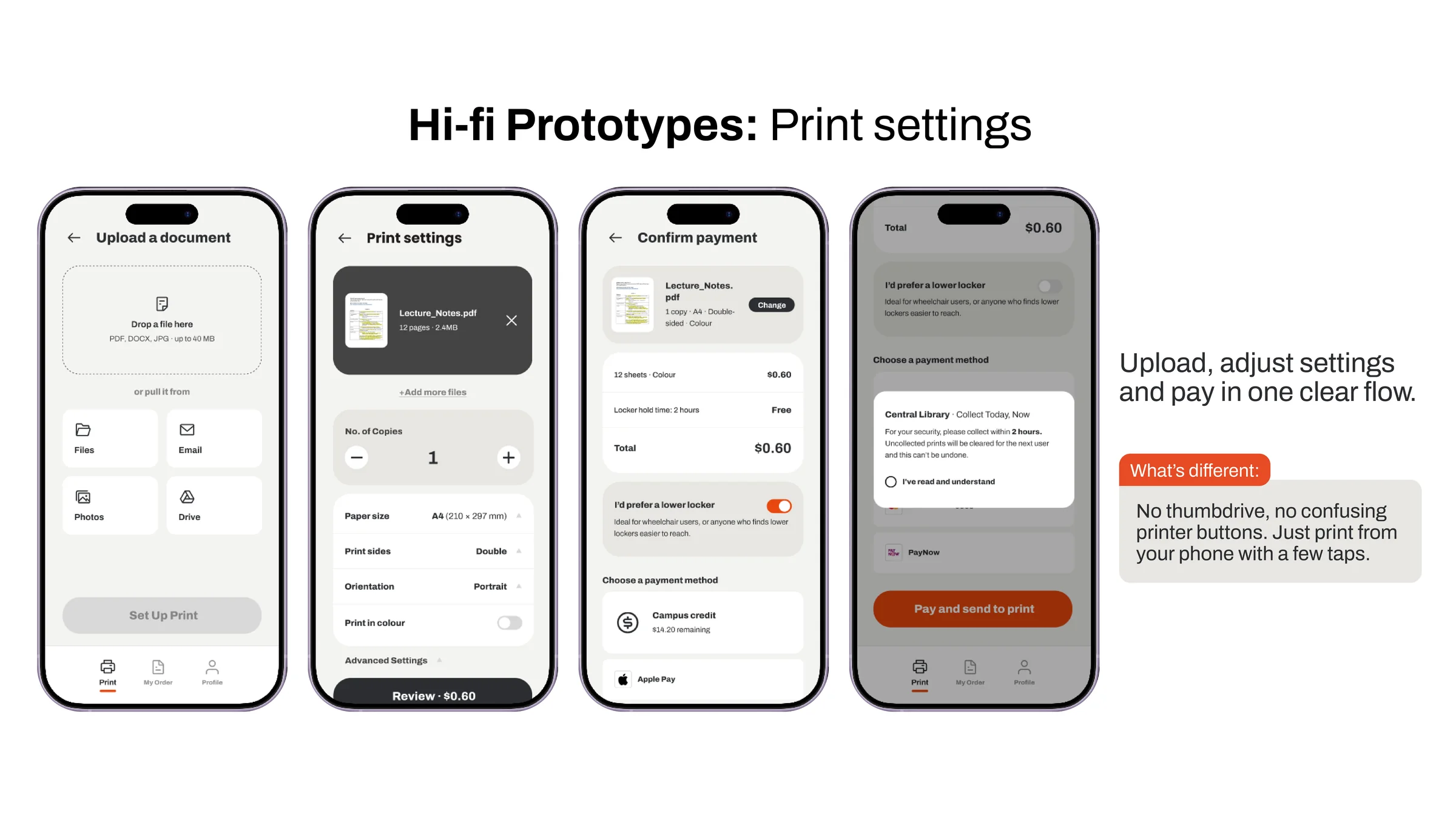
Onboard and start printing
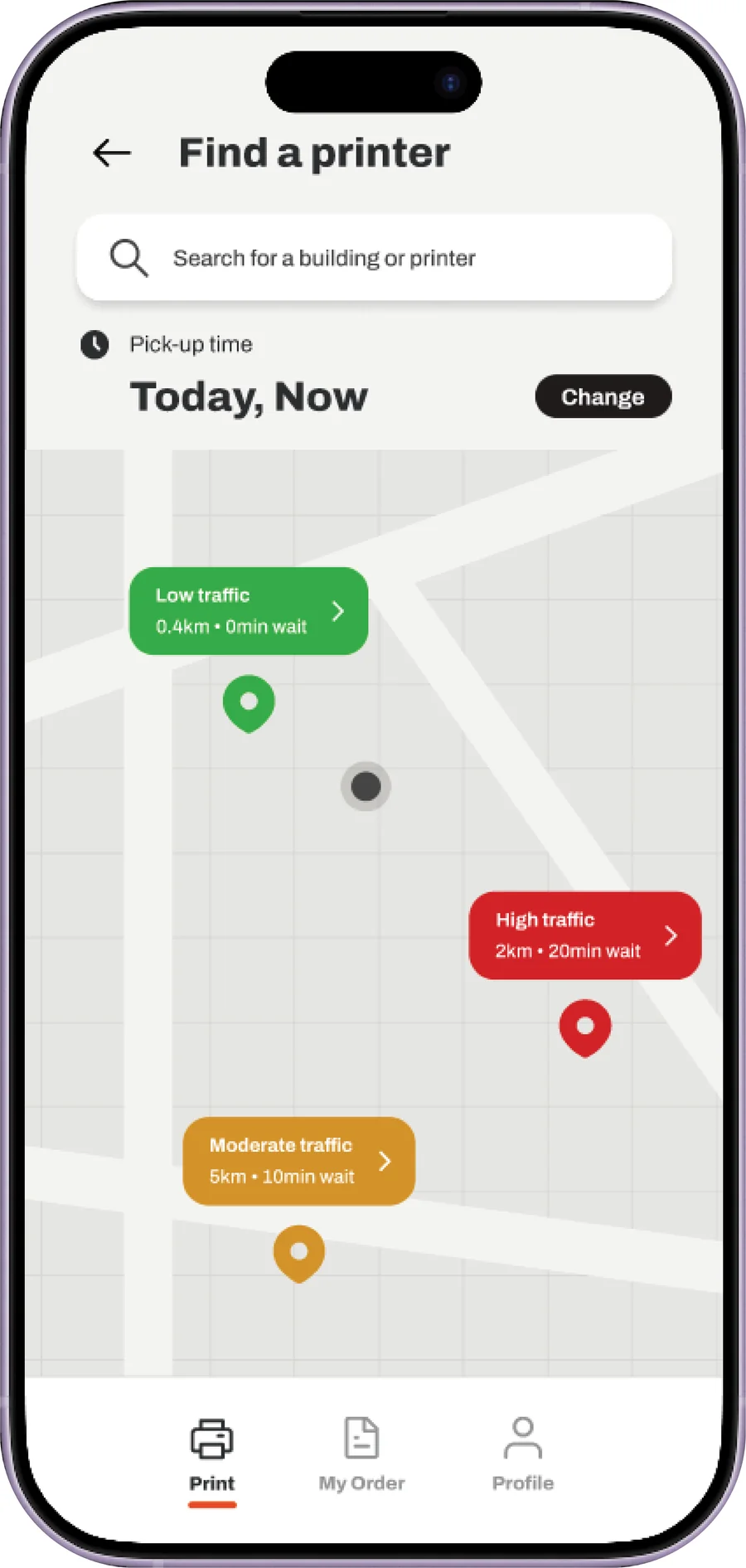
Pick the nearest printer by traffic
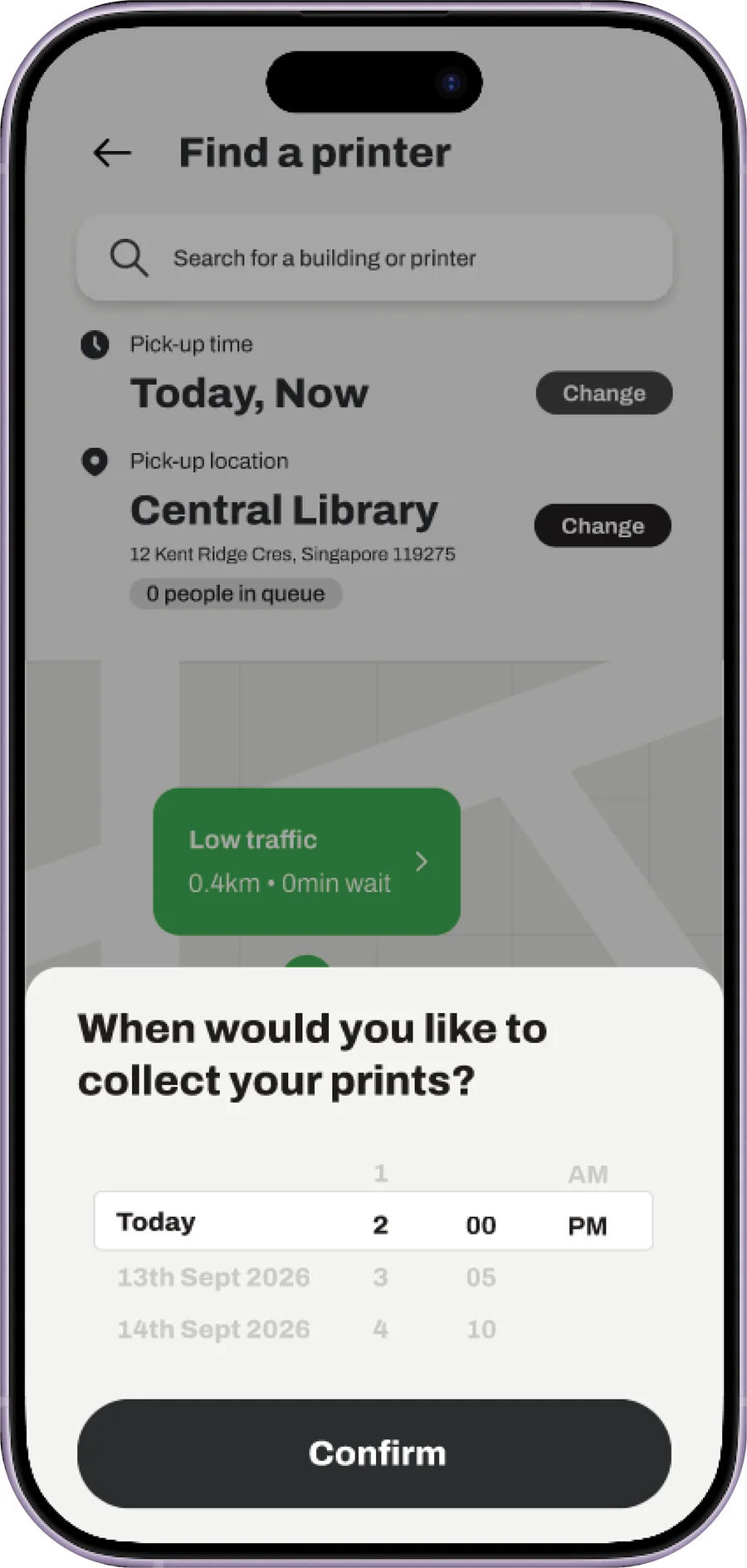
Choose your collection time
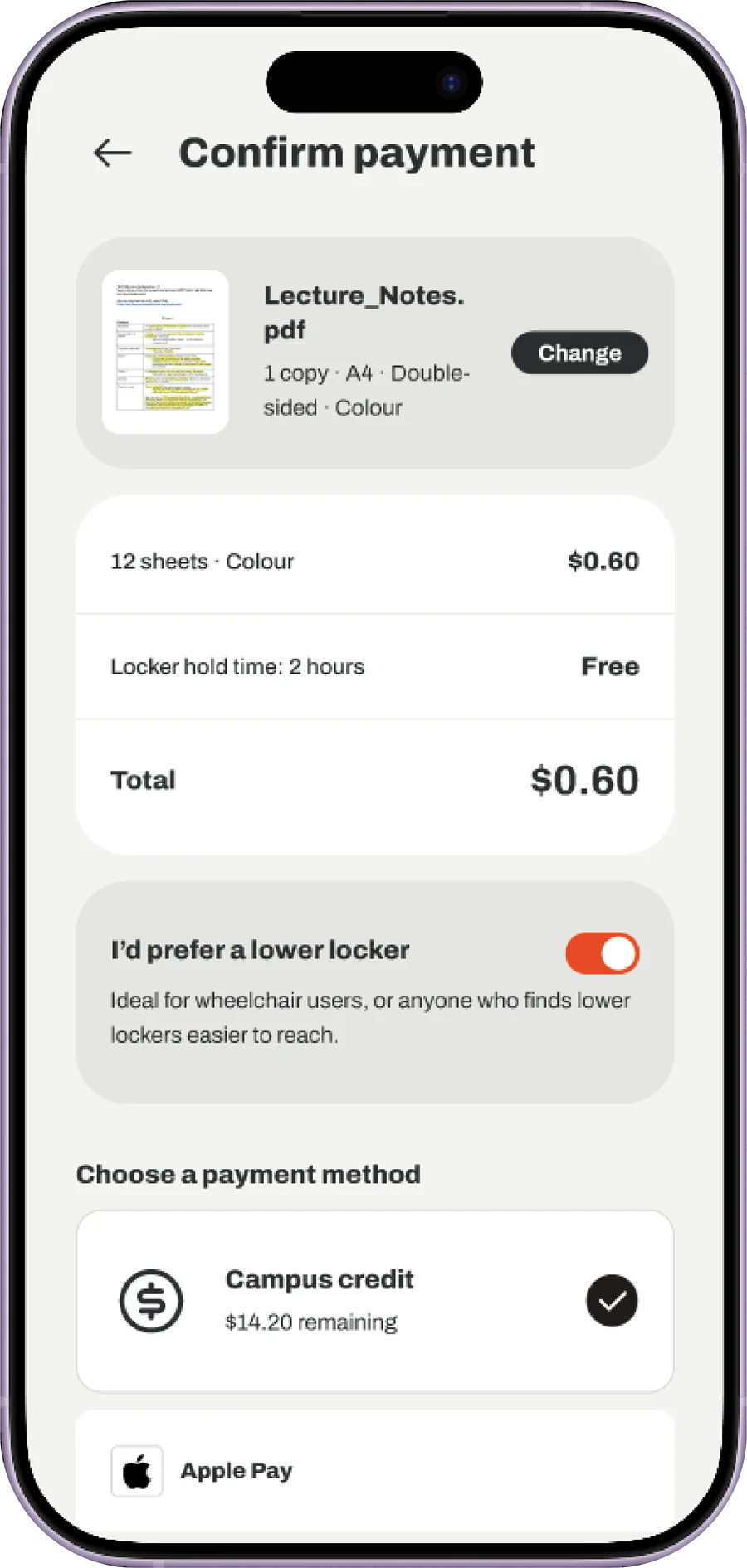
Set preferences & pay online
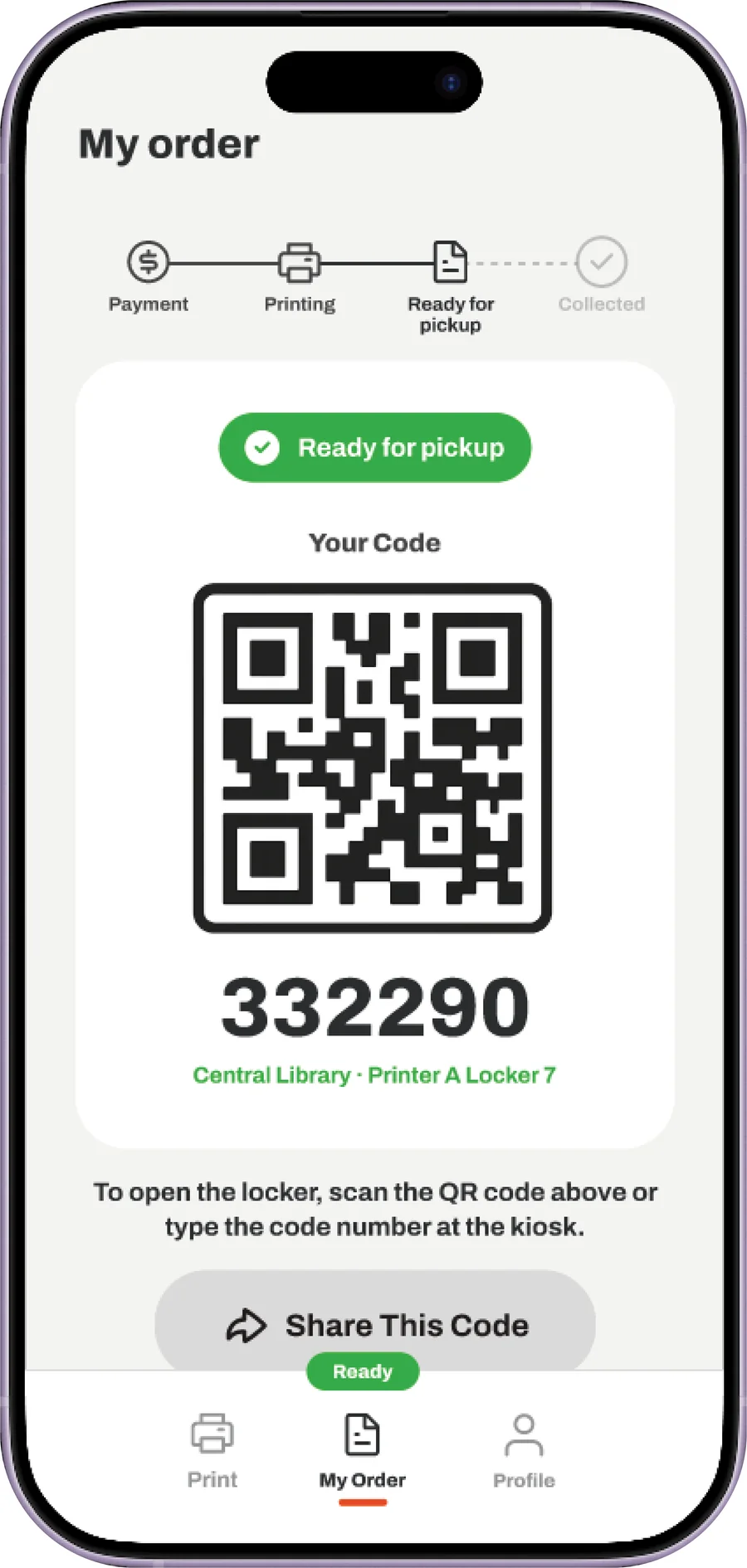
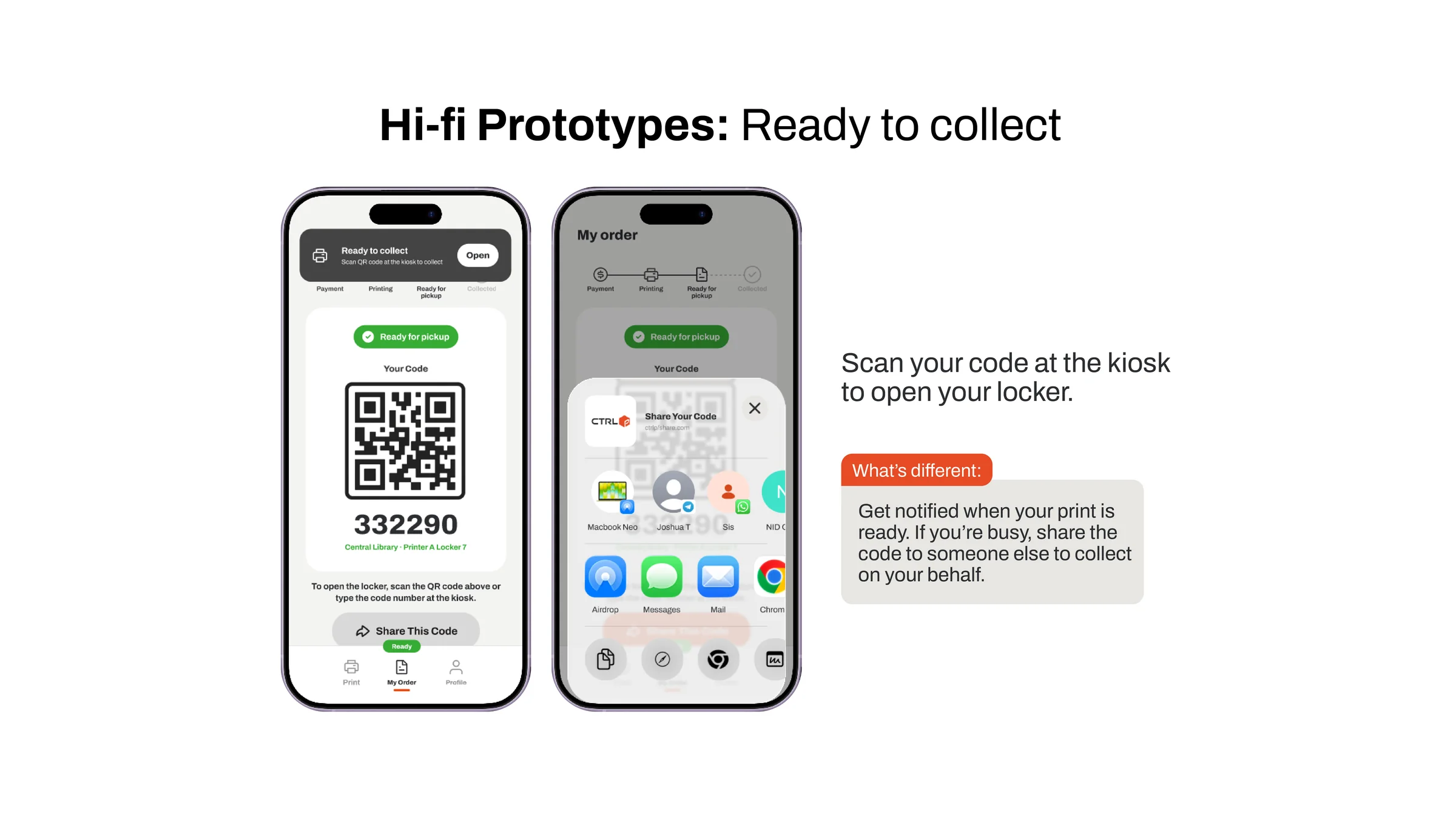
Scan your code to collect
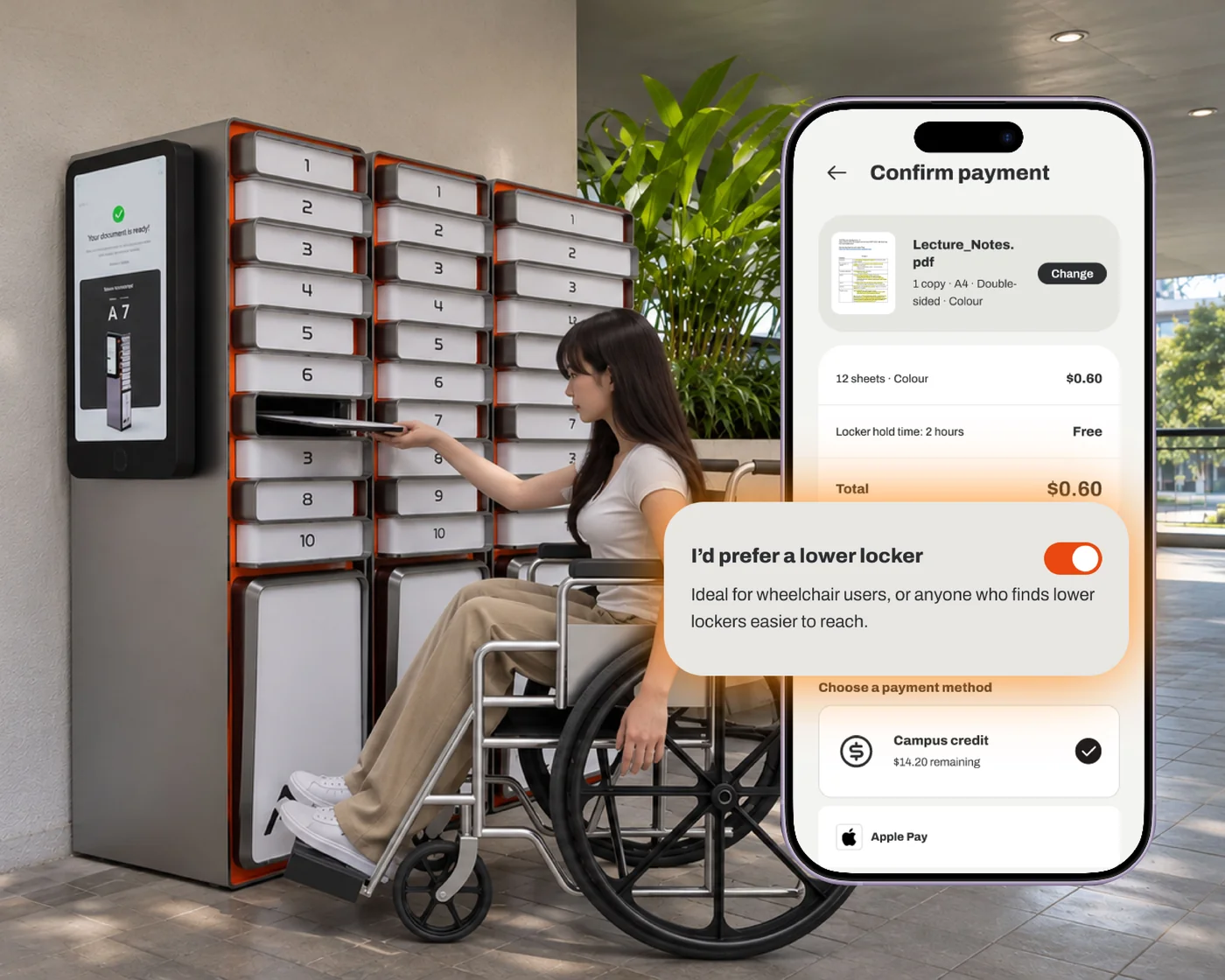
Lower locker option for wheelchair users and anyone who needs it
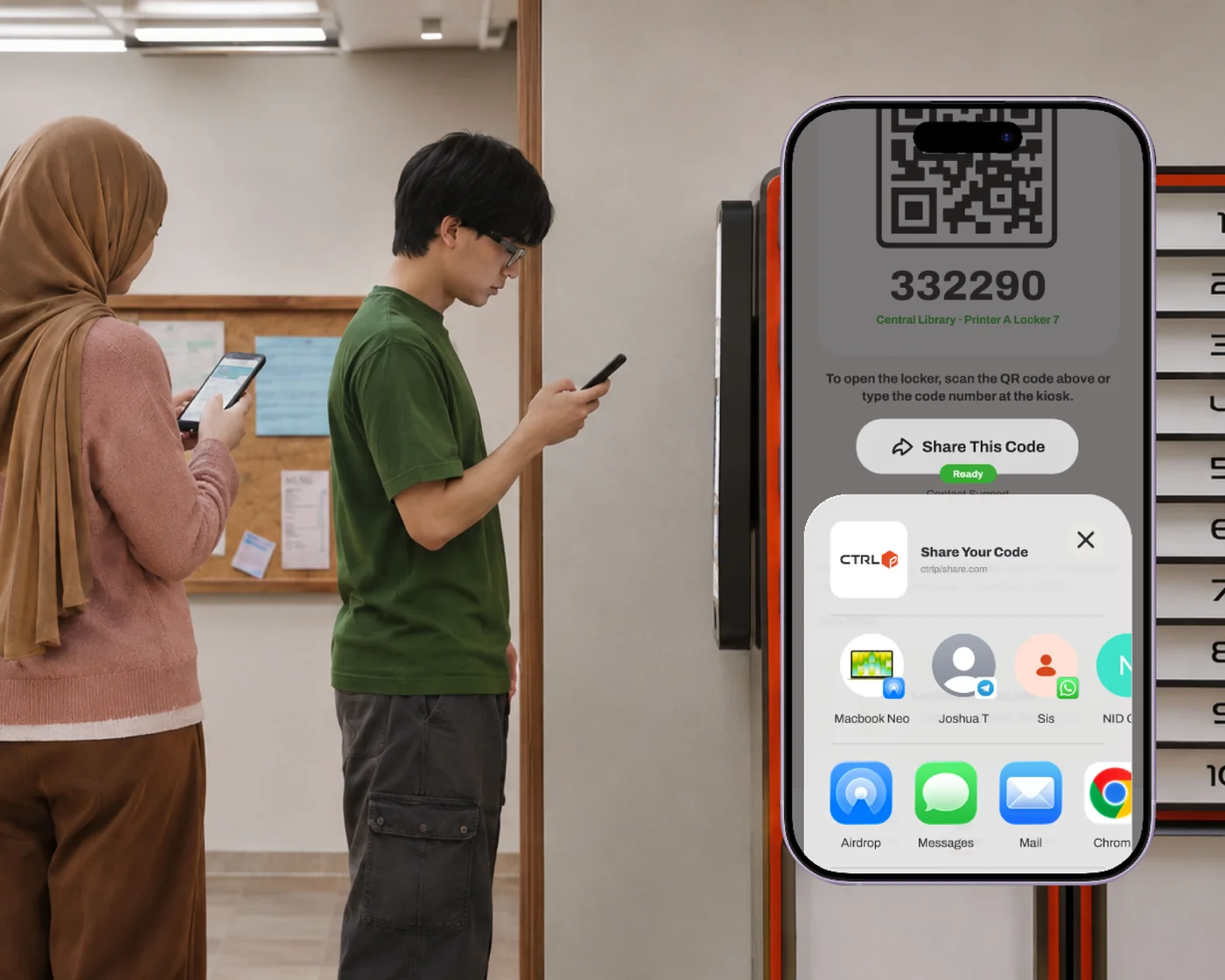
Shareable pickup codes for friends to collect on your behalf
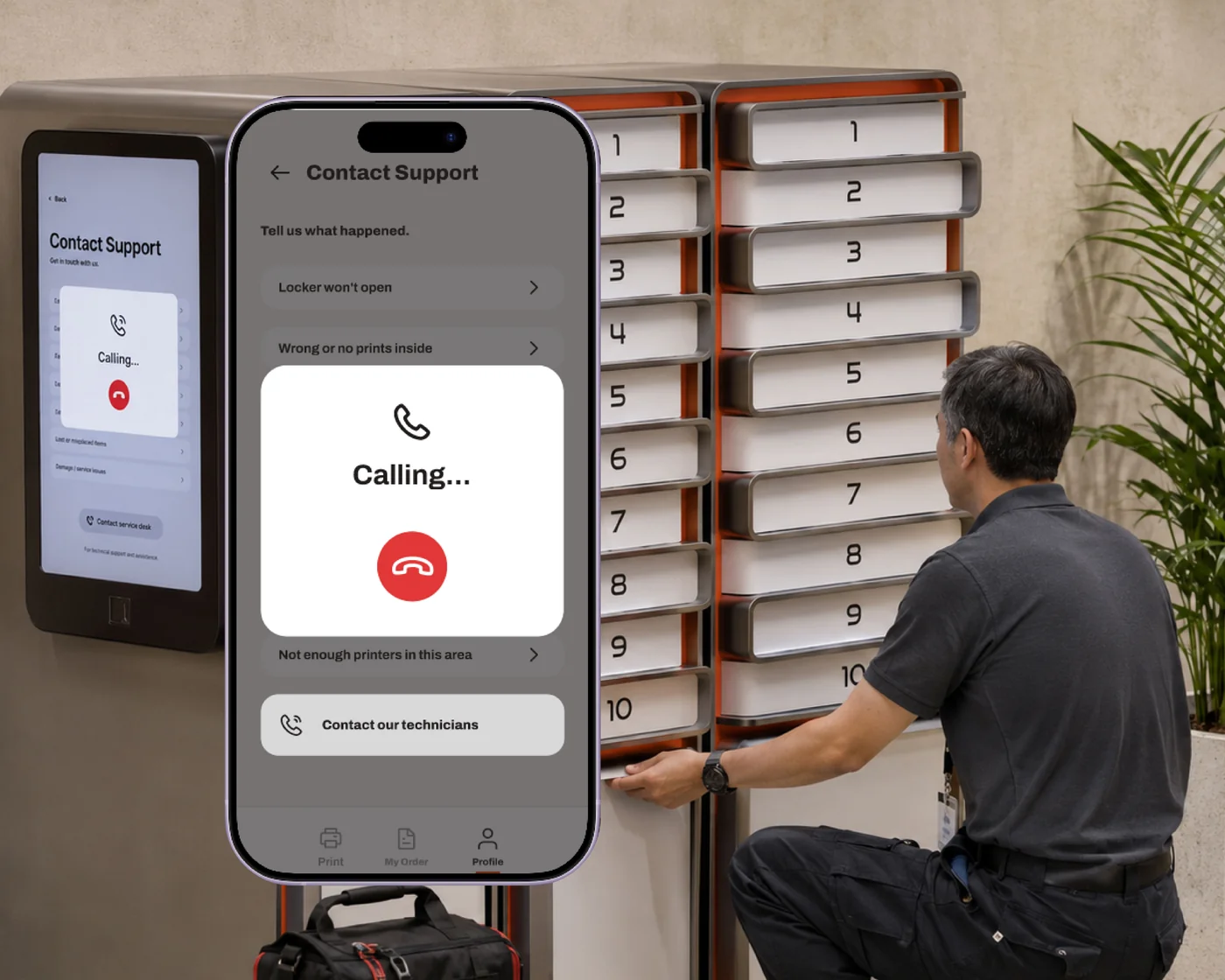
One-tap technical support for any issue at the kiosk or app
Design Process
We worked as a team of four, each playing to our own strengths. My role covered the full UI/UX design, video storyboarding & art direction, and branding.
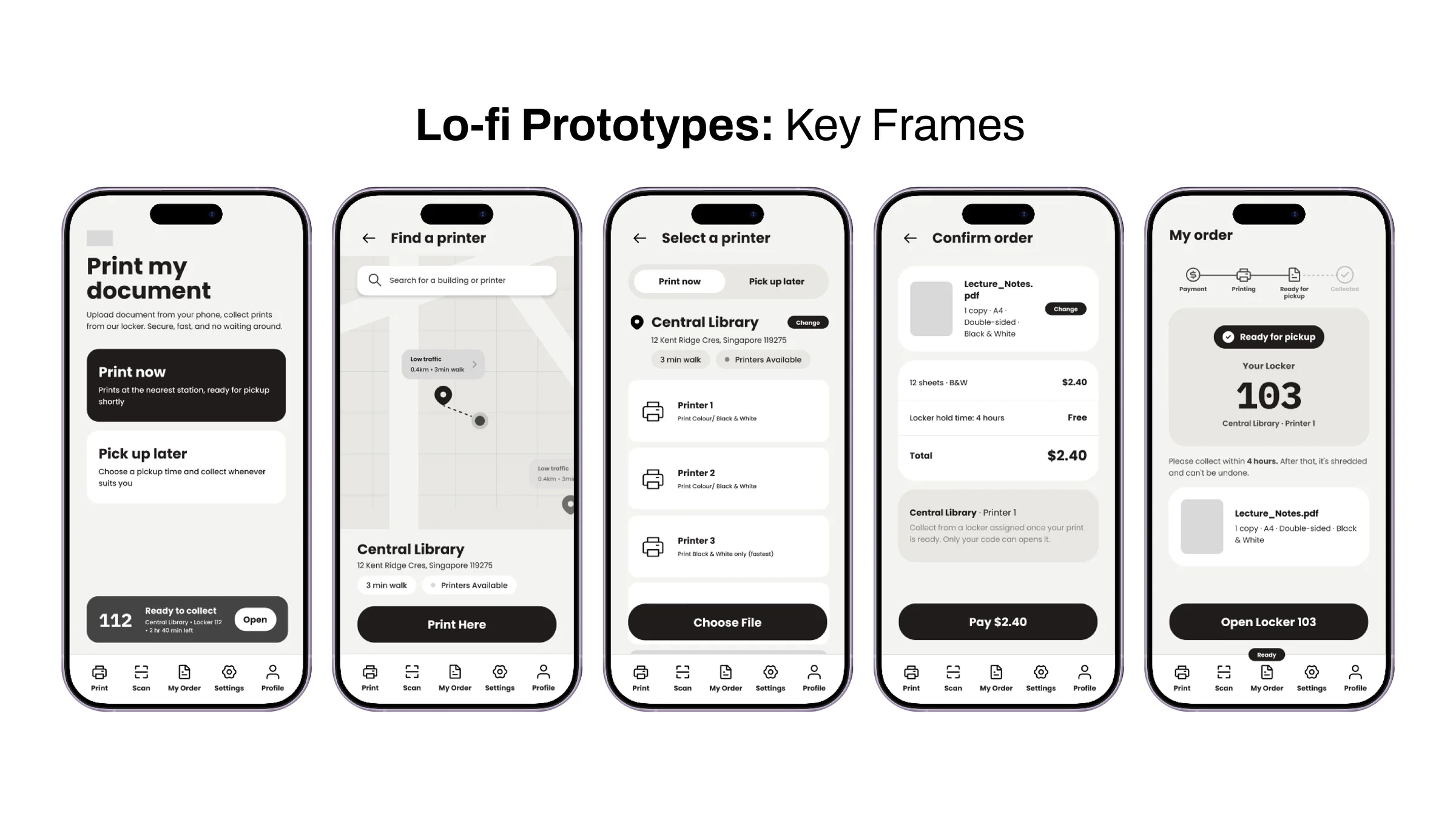
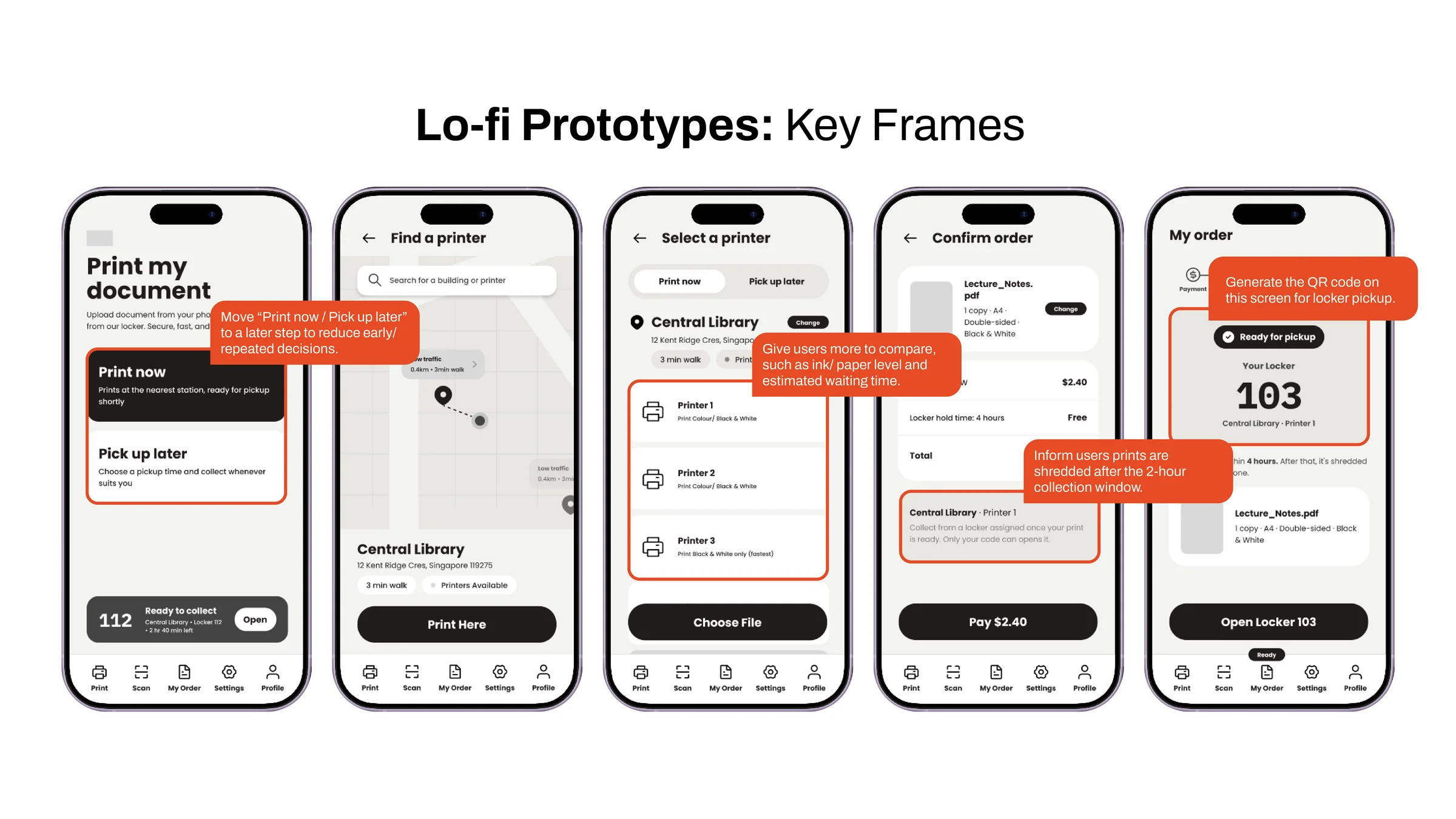
Click to reveal the key changes.
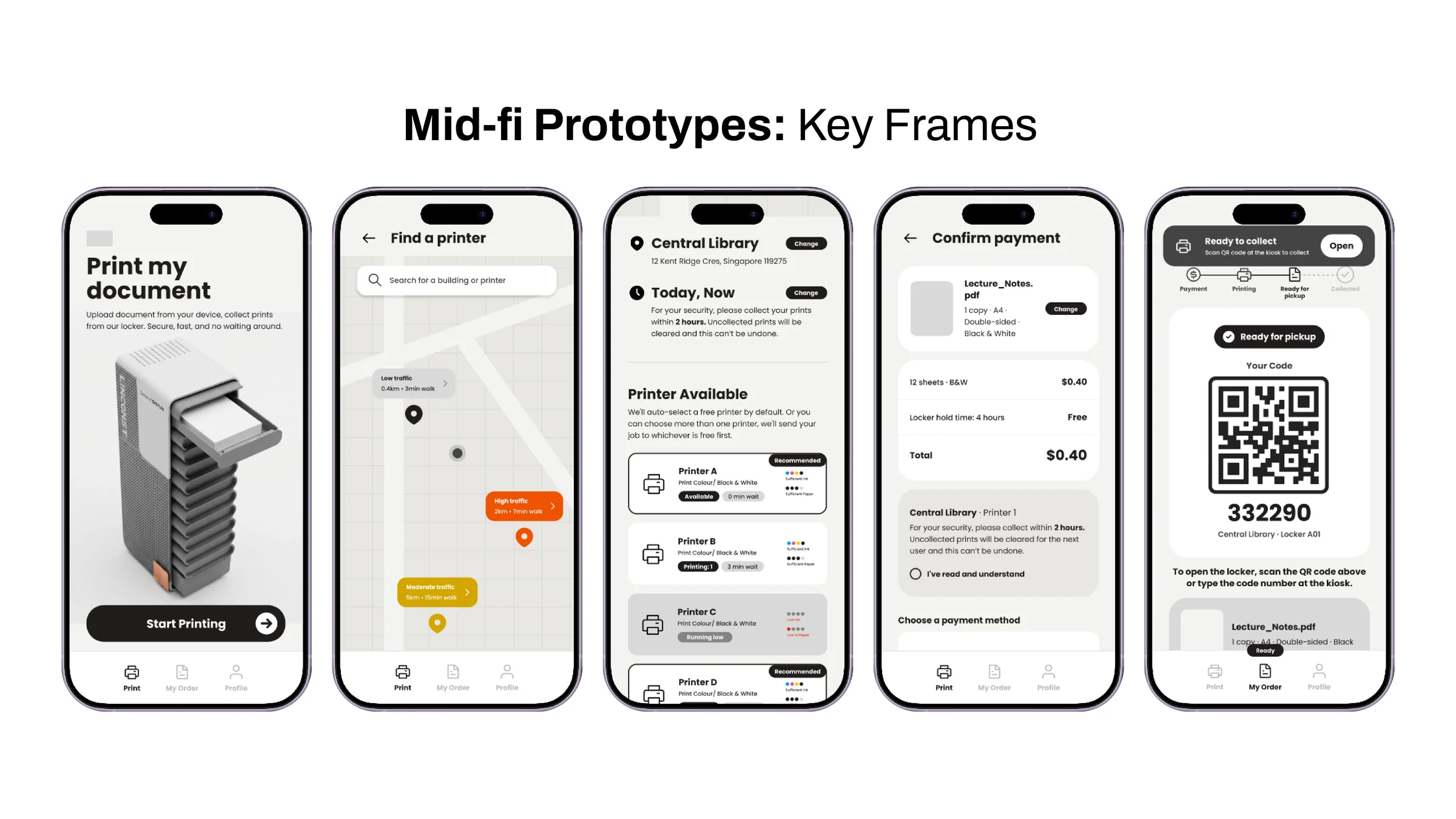
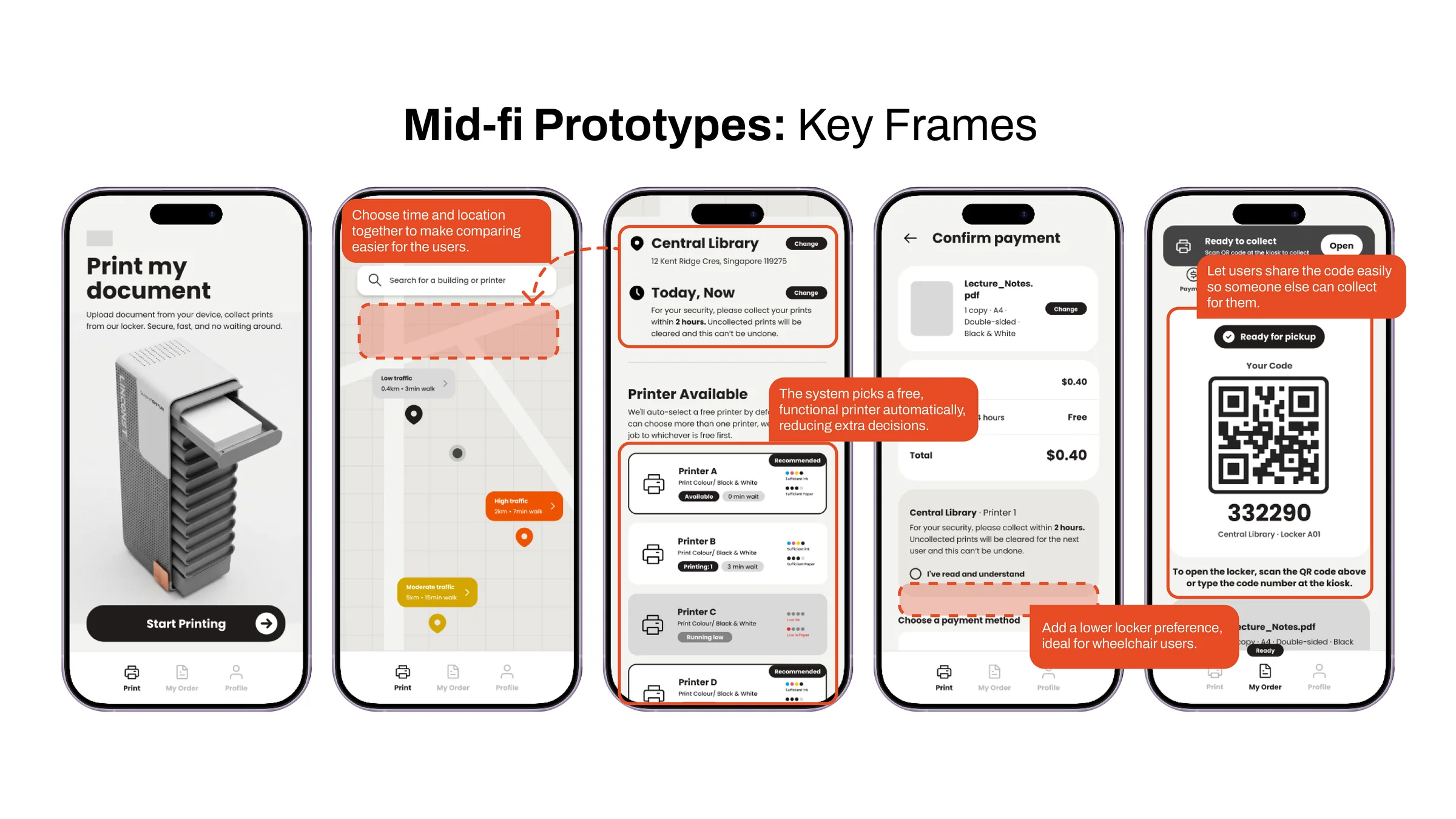
Click to reveal the key changes.
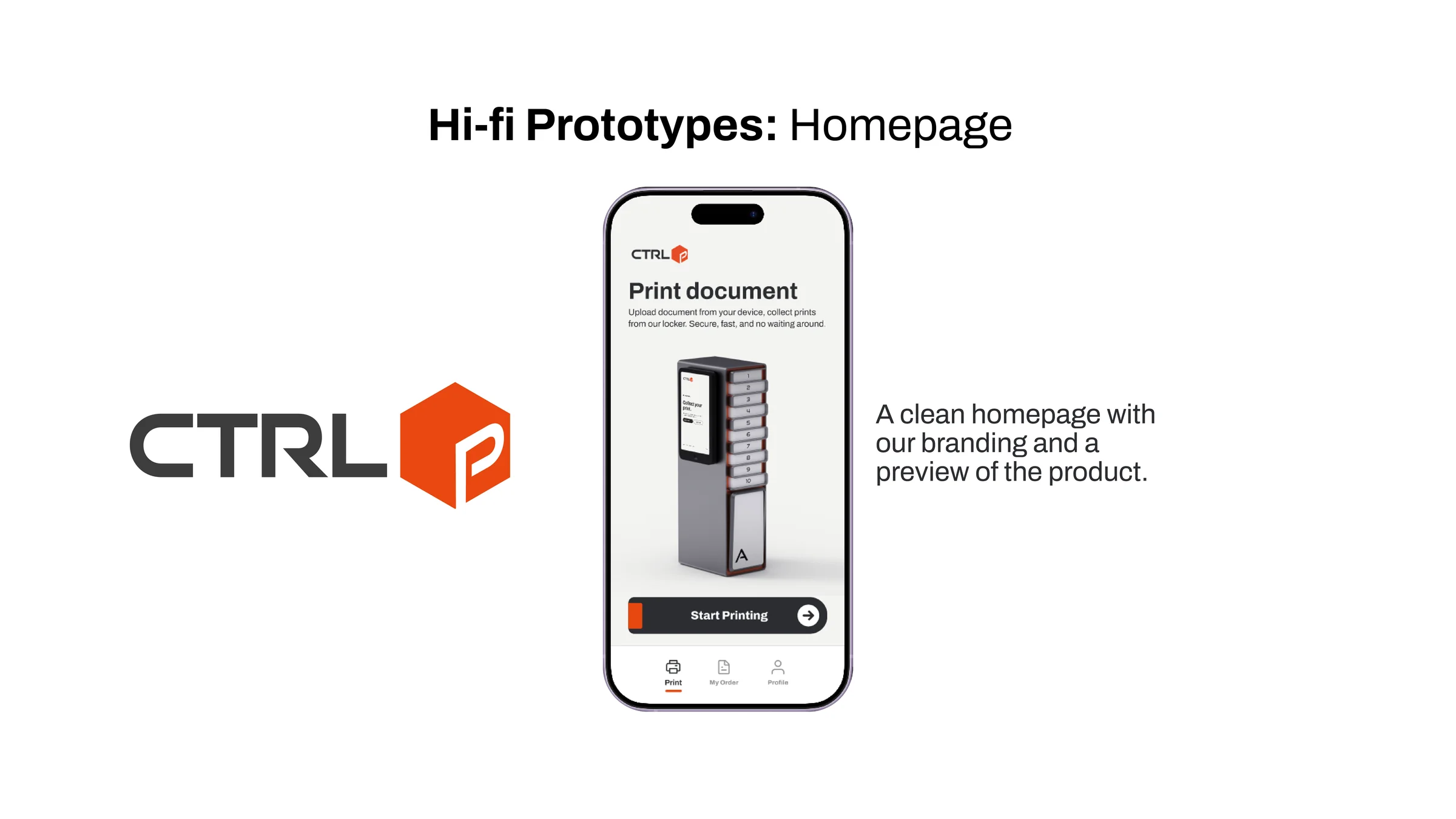
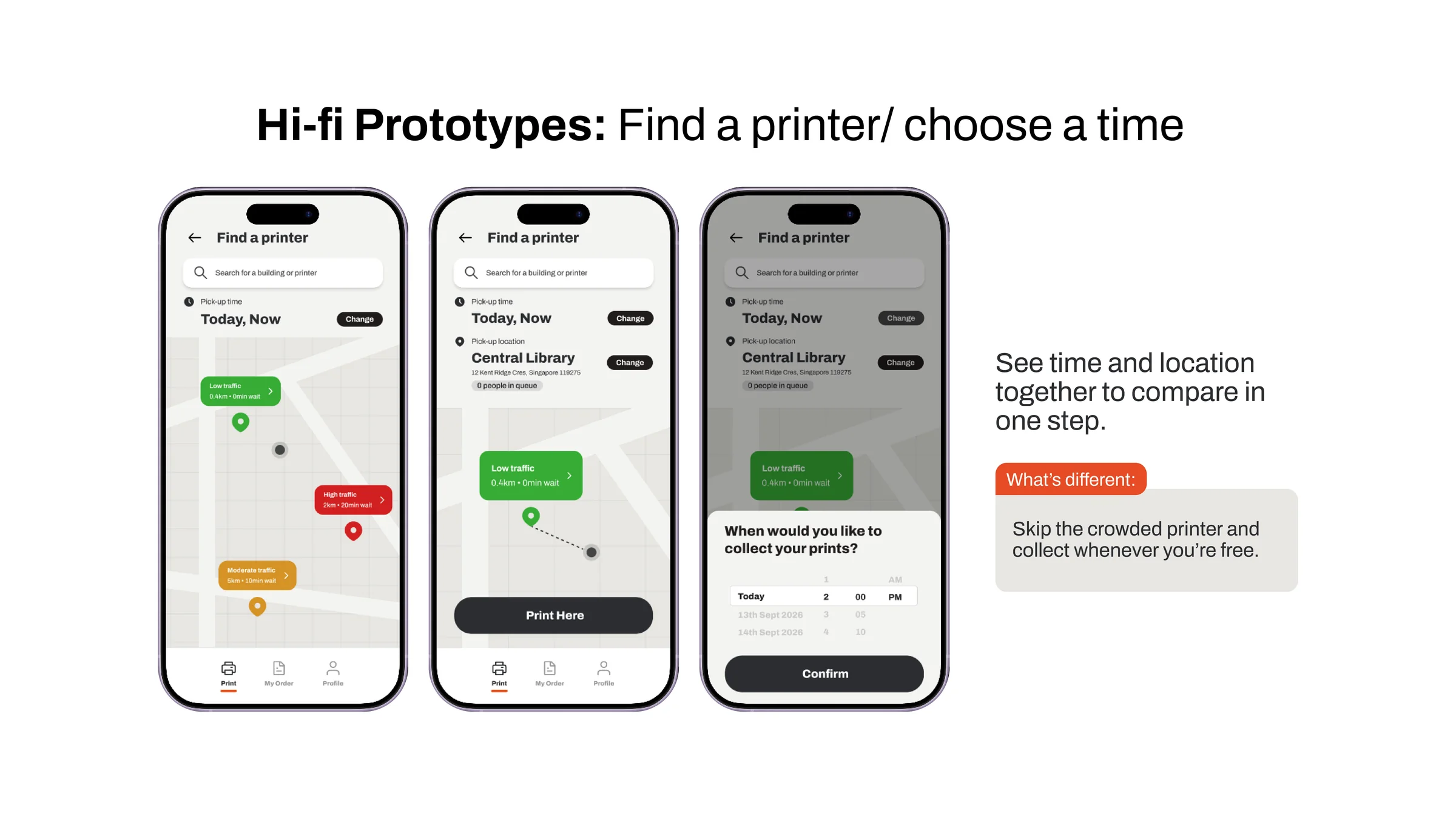
Branding
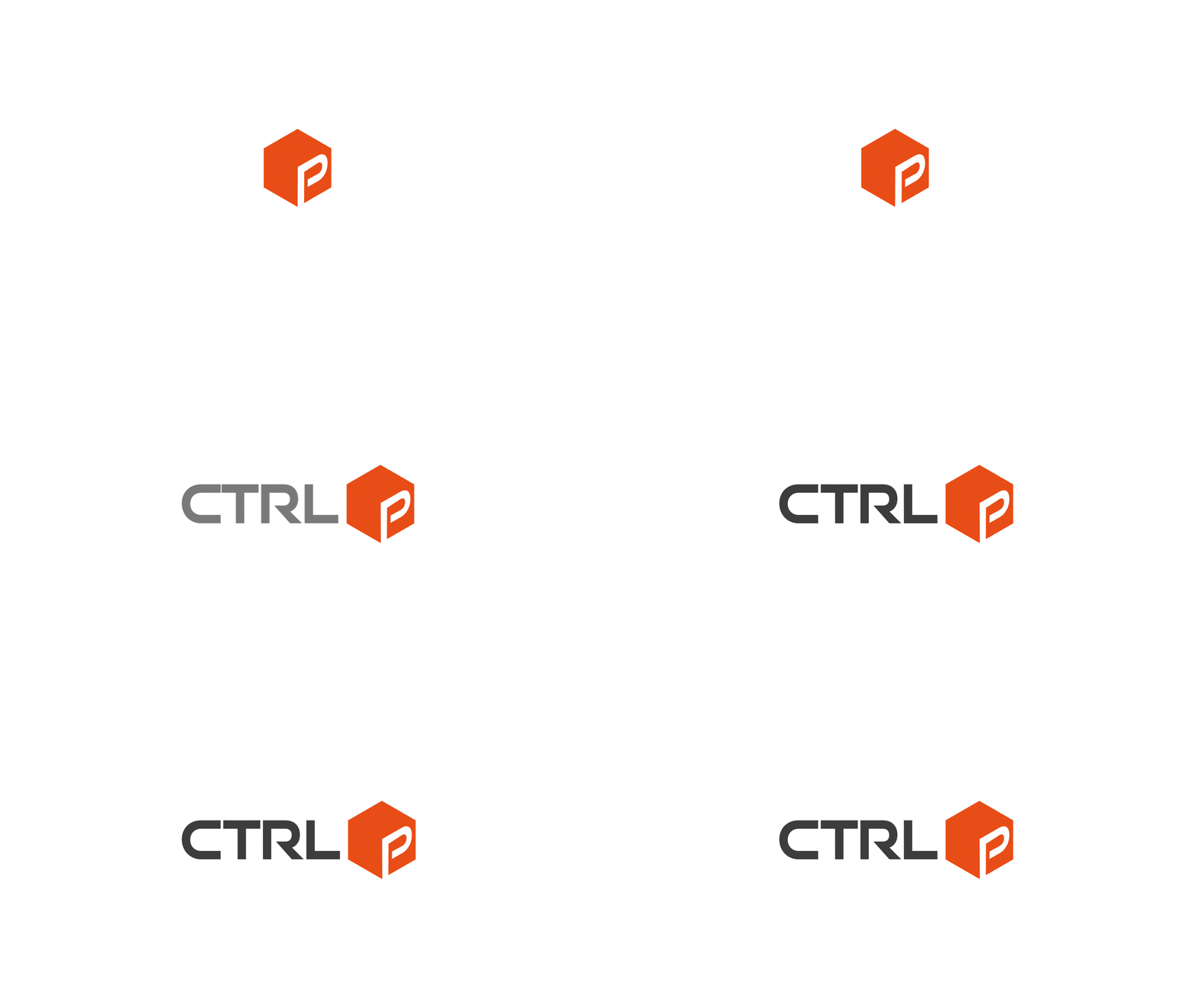
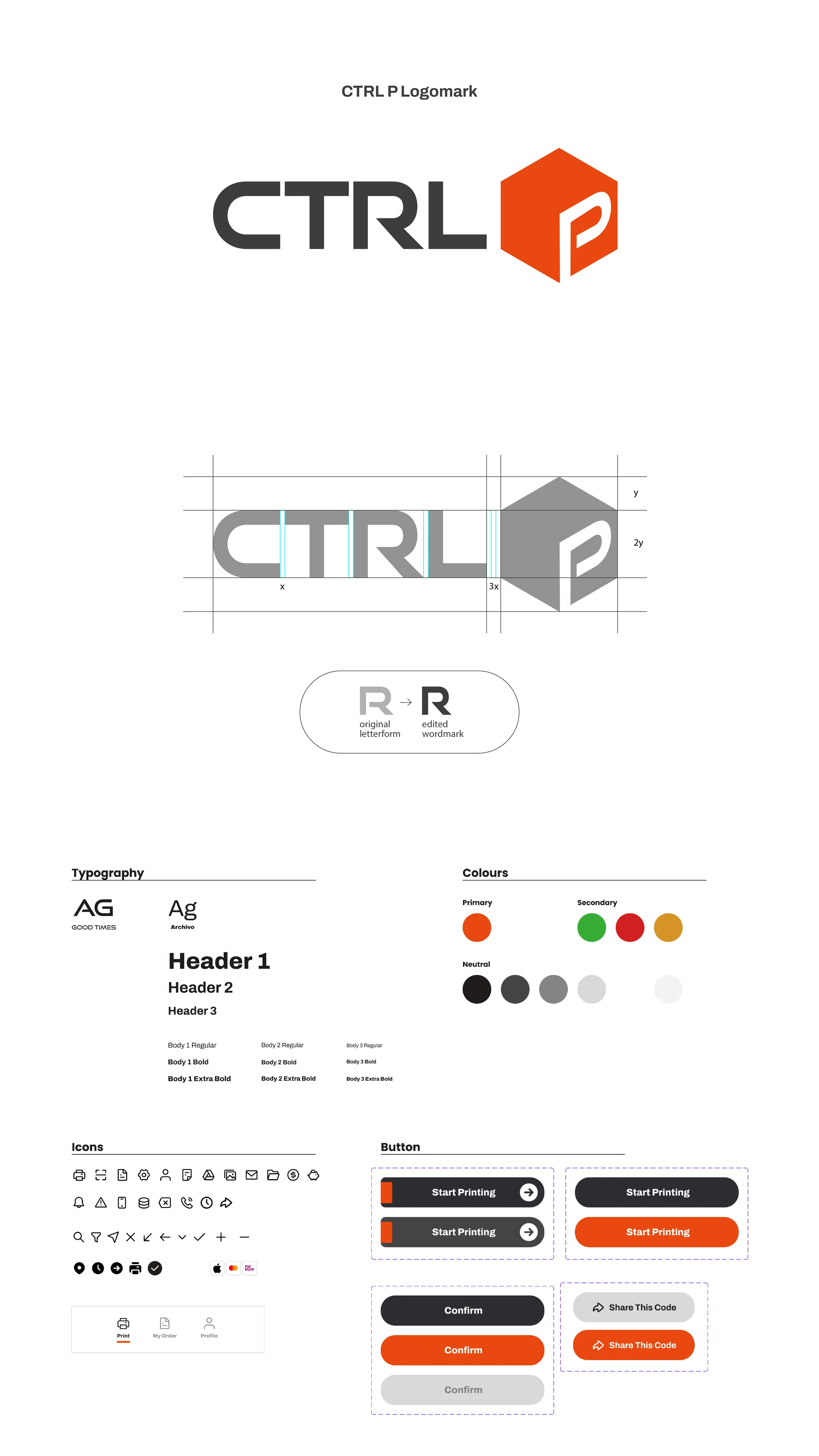
Named after the familiar print shortcut, Ctrl P pairs a bold, geometric wordmark with a hexagonal symbol. The “P” is carved from negative space and reads as a keycap and a locker at once. Each letterform, especially the “R”, was custom-adapted for even, clean spacing.
Product Video
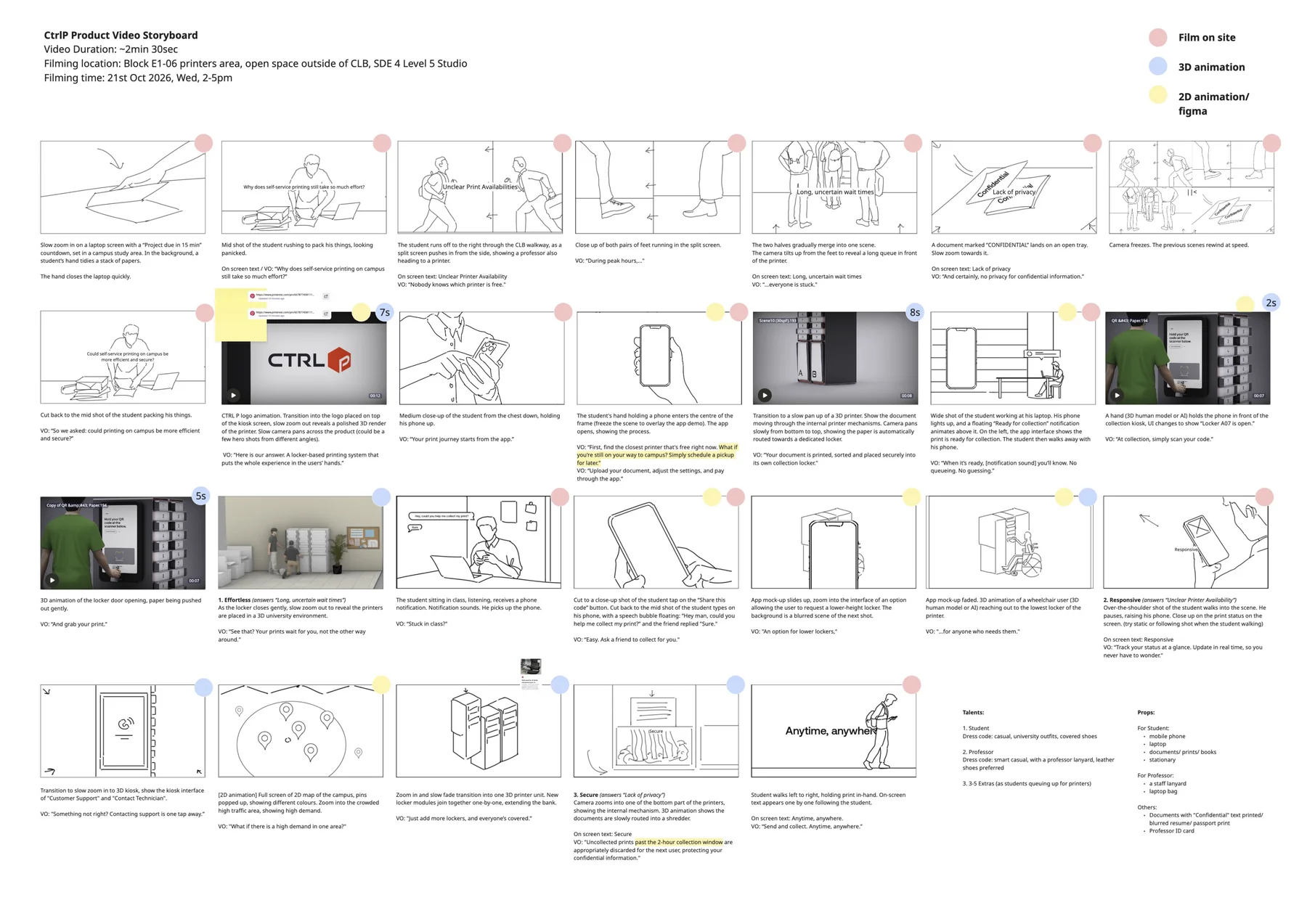
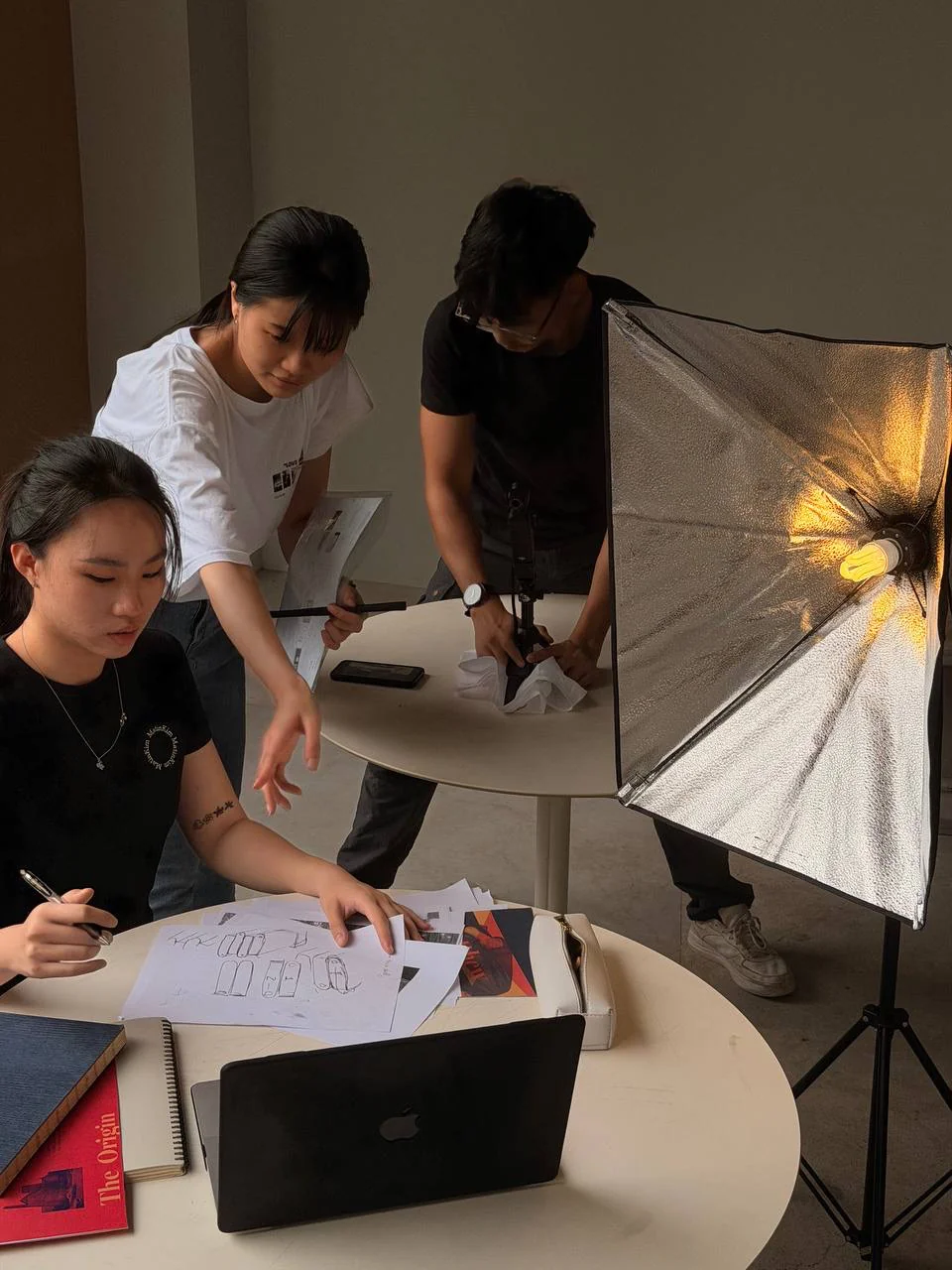
While many peers turned to AI-generated product videos, we chose to film and render ours ourselves. I led the video storyboarding and art directing, aiming to explain a complex system in a short video.